> For the complete documentation index, see [llms.txt](https://docs.prismacloud.io/llms.txt). Markdown versions of documentation pages are available by appending `.md` to page URLs; this page is available as [Markdown](https://docs.prismacloud.io/admin-guide/32/web-application-and-api-security-waas/log-scrubbing.md).
# Log scrubbing
There may be sensitive data captured when WAAS events take place, such as access tokens, session cookies, PII, or other information considered to be personal by various laws and regulations.
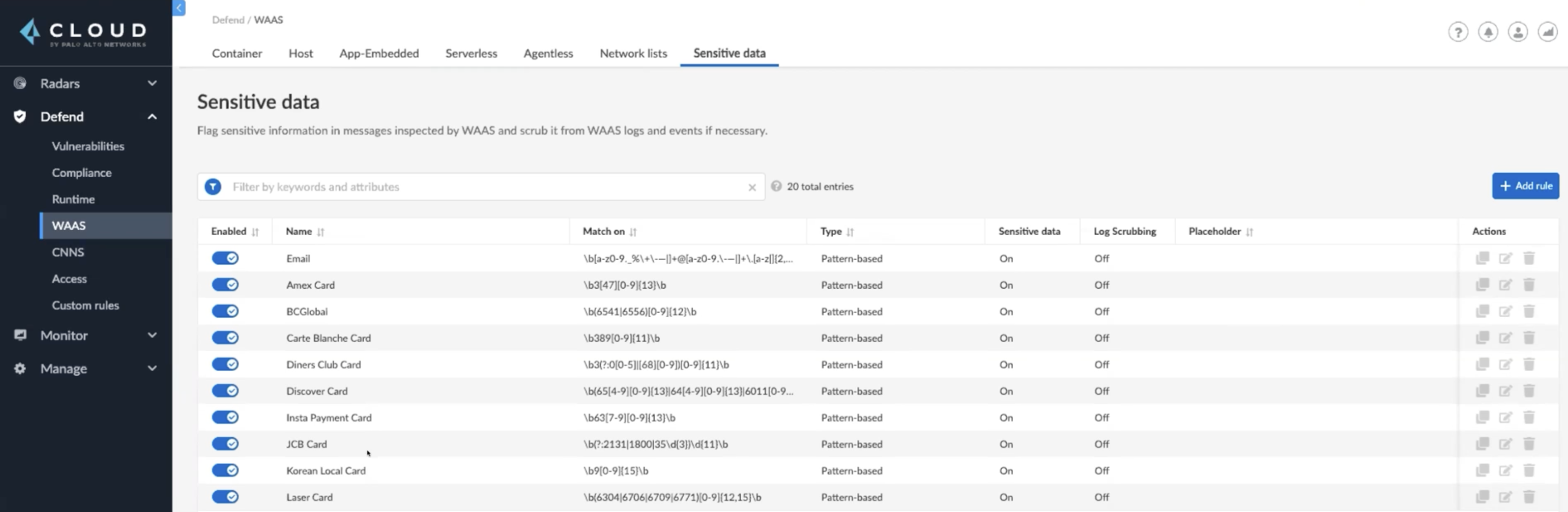
By using WAAS sensitive data rules, users can mark **Sensitive data** and enable **Log scrubbing** based on regex patterns or its location in the HTTP request. The data marked as sensitive will be flagged in API discovery, but will not be automatically scrubbed in the Logs. To scrub the sensitive data in addition to marking it as sensitive, enable **Log scrubbing**, the data is scrubbed and replaced with placeholders in the logs before events are recorded.
* The data from HTTP responses that appear in WAAS audits will not be scrubbed and replaced by the placeholder.
* To optimize the CPU utilization when using WAAS sensitive data, Prisma Cloud scanner samples only a subset of the mirrored data to discover just the APIs and the scanner does not inspect the request body field, the sensitive request, and the response data. We sample the API traffic to limit the sensitive data body response size to less than 128k.
## Add/Edit WAAS Scrubbing Rule
1. Open the Console, and go to **Defend > WAAS > Sensitive data**.
2. Click on **Add rule** or select an existing rule.
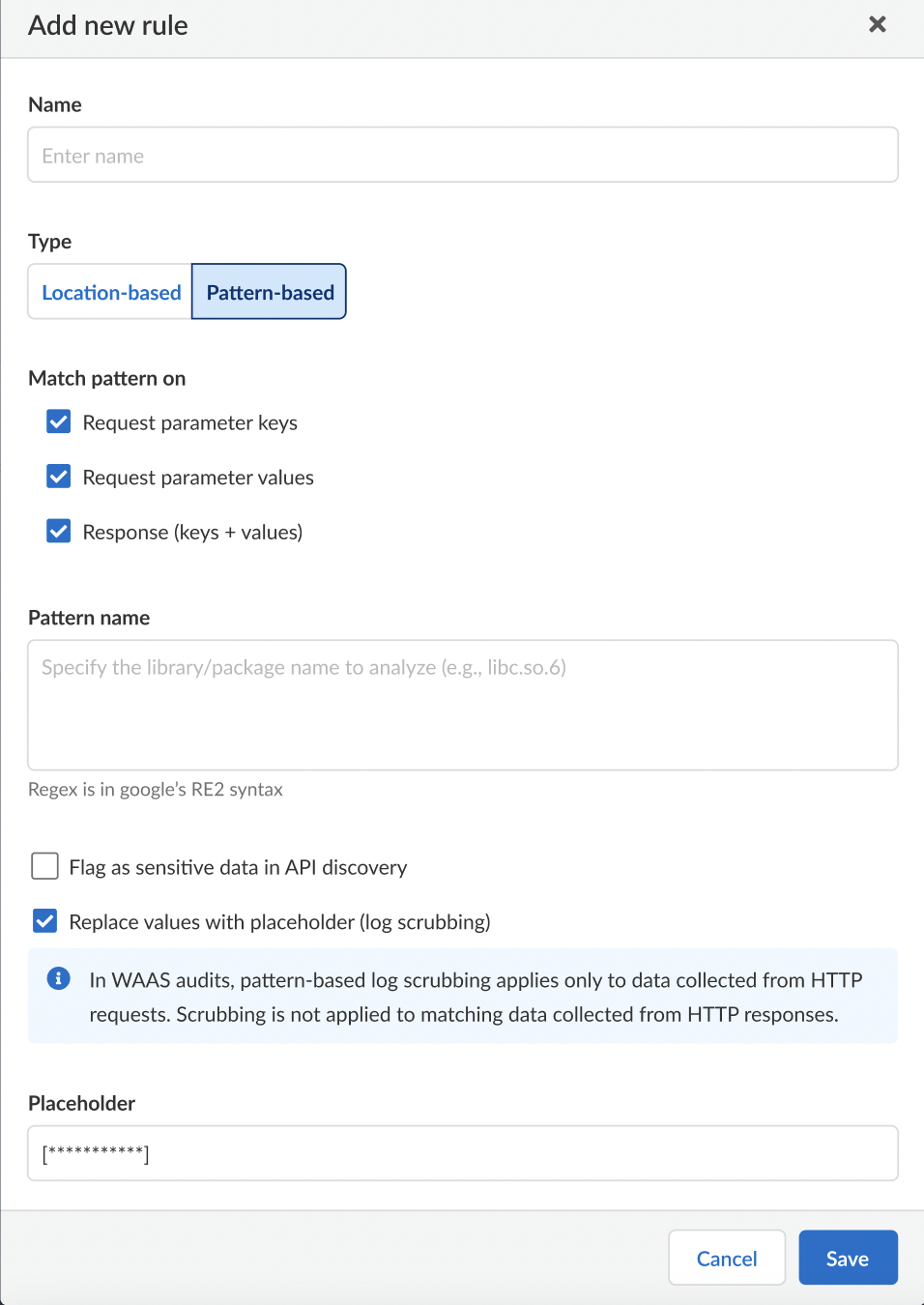
3. Enter a rule **Name**.
4. Select the rule **Type** as **Pattern-based** or **Location-based**.
5. The pattern-based rule will match the given regex pattern by either "Request Parameter keys", "Request Parameter Values", or "Response (Keys + Values)".
1. Provide the pattern name to be matched in the form of a regular expression ([re2](https://github.com/google/re2/wiki/Syntax)), e.g. `^sessionID$`, `key-[a-zA-Z]{8,16}`.
2. Provide a placeholder string, e.g. `[scrubbed sessionID]`.
Placeholder strings indicating the nature of the scrubbed data should be used as users will not be able to see the underlying scrubbed data.
6. For Location-based rules
1. Select the location of the data to be scrubbed.
2. Provide location details:
1. For `query` / `cookie` / `header` / `form/multipart` - provide a match pattern in the form of a regular expression ([re2](https://github.com/google/re2/wiki/Syntax)), e.g. `^SCookie.*$`, `item-[a-zA-Z]{8,16}`.
2. For `XML (body)` / `JSON (body)` - provide the path using Prisma Cloud’s custom format e.g. `/root/nested/id`.
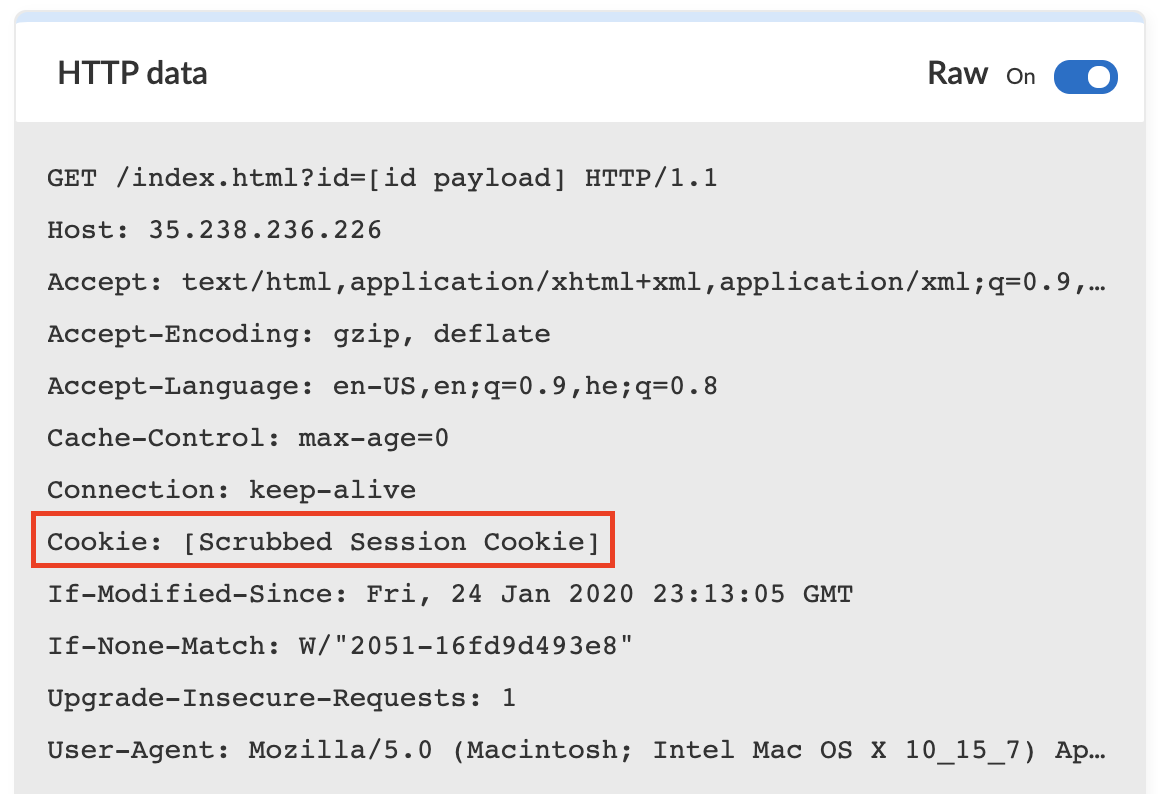
3. Provide a placeholder string to indicate the nature of the scrubbed data, for example: `[Scrubbed Session Cookie]`.
7. Click **Save**.
**Sensitive Data & Log Scrubbing**
The location-based rule for sensitive data works by searching for the key value in the location, for example, query, cookie, header, form/multipart, XML, and JSON body. For log scrubbing, WAAS replaces the value with the placeholder that you enter. Data will now be scrubbed from any WAAS event before it is written (either to the Defender log or syslog) and sent to the console.
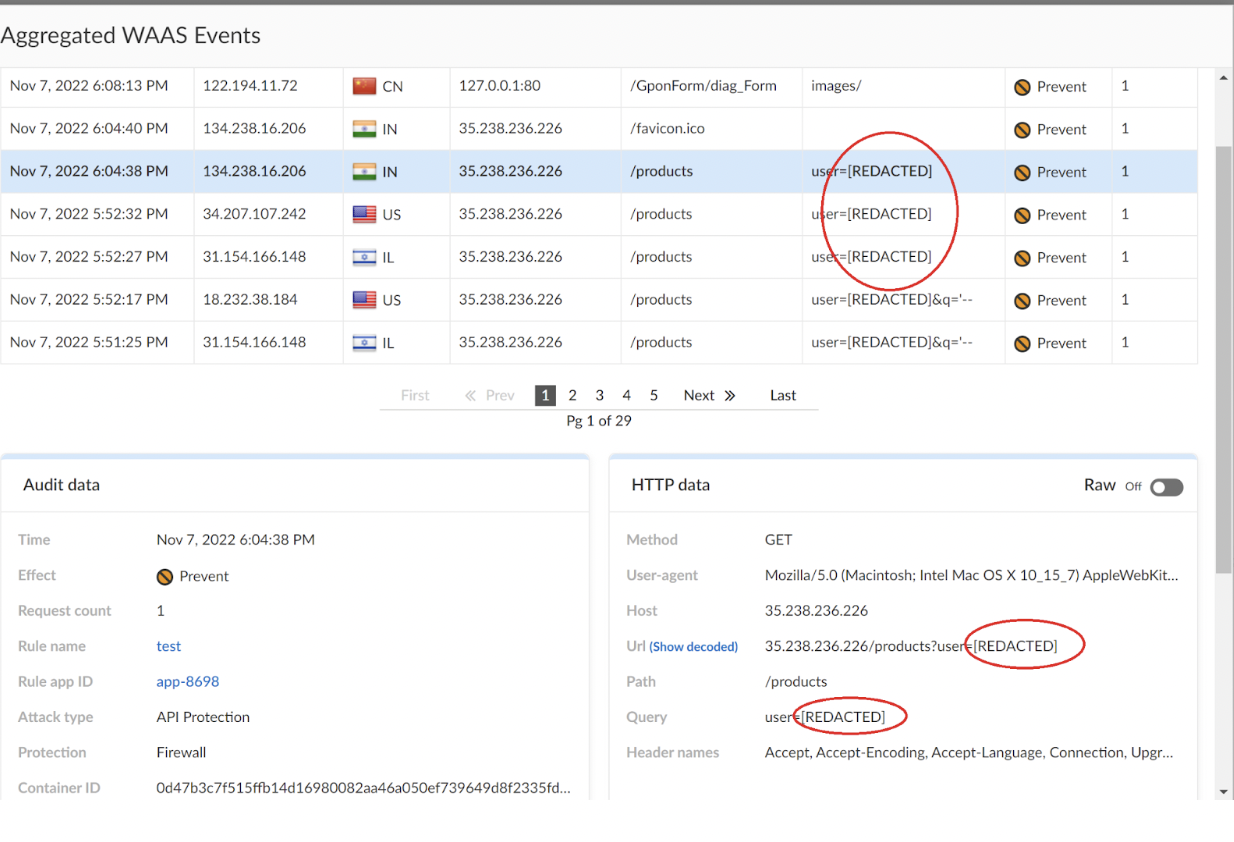
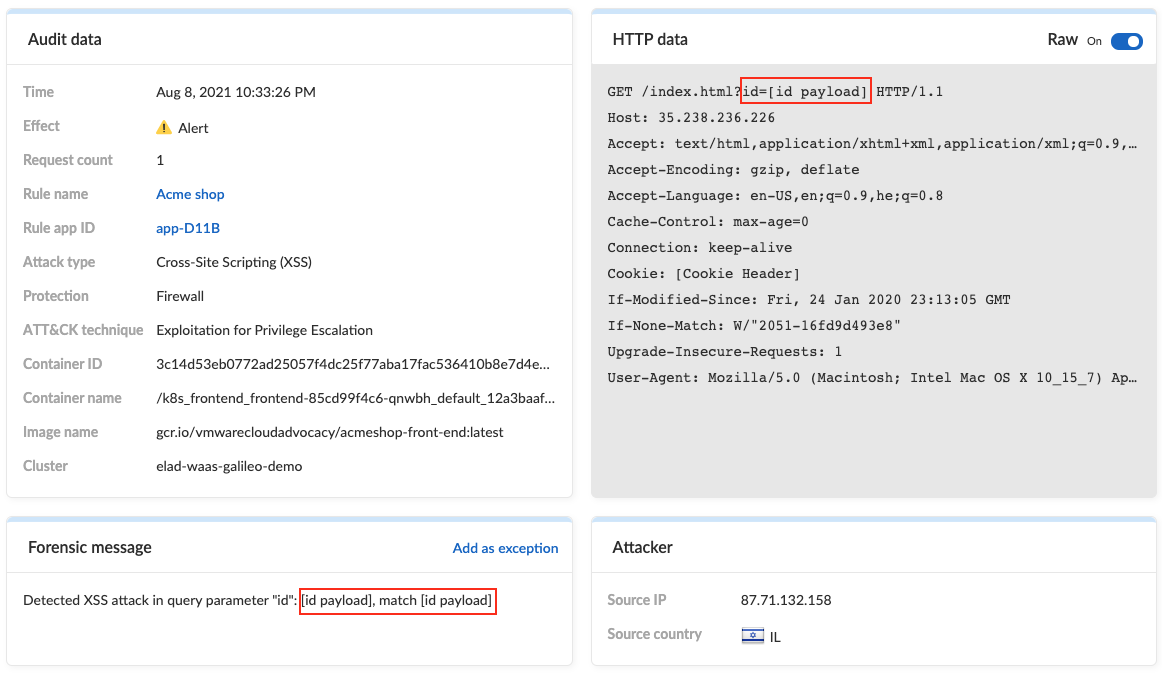
For example, the email ID is redacted in the below WAAS event audit.
If sensitive data triggers events, both the forensic message and the recorded HTTP request are scrubbed.
---
# Agent Instructions
This documentation is published with GitBook. GitBook is the documentation platform designed so that both humans and AI agents can read, navigate, and reason over technical content effectively. Learn more at gitbook.com.
## Querying This Documentation
If you need additional information that is not directly available in this page, you can query the documentation by asking a question.
Perform an HTTP GET request on the following URL with the `ask` and `goal` query parameters:
```
GET https://docs.prismacloud.io/admin-guide/32/web-application-and-api-security-waas/log-scrubbing.md?ask=&goal=
```
`ask` is the immediate question: it should be specific, self-contained, and written in natural language.
`goal` is what the user is ultimately trying to achieve, the reason they need the answer. Sharing it helps GitBook give you a better, more relevant answer. A goal is most helpful when it describes the outcome the user wants rather than restating the question. For example, with `ask=how do I create an API token`, a goal like `automate deployments from our CI pipeline` lets GitBook tailor the answer to that use case.
The response will contain a direct answer to the question and relevant excerpts and sources from the documentation.
Use this mechanism when the answer is not explicitly present in the current page, you need clarification or additional context, or you want to retrieve related documentation sections.