> For the complete documentation index, see [llms.txt](https://docs.prismacloud.io/llms.txt). Markdown versions of documentation pages are available by appending `.md` to page URLs; this page is available as [Markdown](https://docs.prismacloud.io/admin-guide/33/web-application-and-api-security-waas/waas-access-control.md).
# Access control
WAAS allows for control over how applications and end-users communicate with the protected web application.
## Network Lists
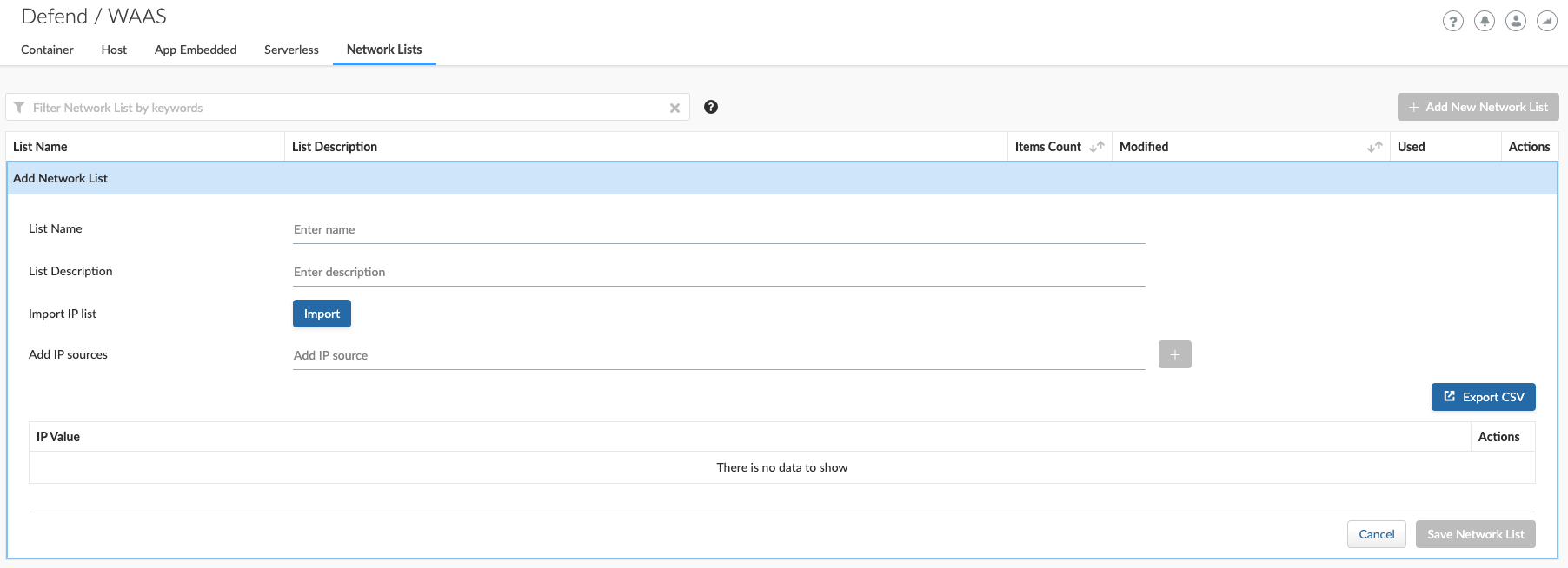
**Network Lists** allow administrators to create and maintain named IP address lists e.g. "Office Branches", "Tor and VPN Exit Nodes", "Business Partners", etc. List entries are composed of IPv4 addresses or IP CIDR blocks.
To access **Network Lists**, open Console, go to **Defend > WAAS** and select the **Network List** tab.
Lists can be updated manually or via batch importing of entries from a CSV file. Once defined, **Network Lists** can be referenced and used in [IP-based access control](#ip-network-controls), [user-defined bots](/admin-guide/33/web-application-and-api-security-waas/waas-bot-protection.md#user-defined-bot) and [DoS protection](/admin-guide/33/web-application-and-api-security-waas/waas-dos-protection.md).
To export lists in CSV format, click **export CSV**.
* When importing IP addresses or IP CIDR blocks from a CSV file, first record value should be set to "ip" (case sensitive).
* IPv6 addresses are currently not supported.
## Network Controls
### IP-based access control
Network lists can be specified in:
* ***Denied inbound IP Sources*** - WAAS applies selected action (Alert or Prevent) for IP addresses in network lists.
* ***IP Exception List*** - Traffic originating from IP addresses listed in this category will not be inspected by any of the protections defined in this policy.
* When the X-Forwarded-For HTTP header is included in the request headers, actions will apply based on the first IP listed in the header value (true client IP).
* Practice caution when adding network lists to the IP Exception List because protections will not be applied for traffic originating from these IP addresses.
### Geo access control
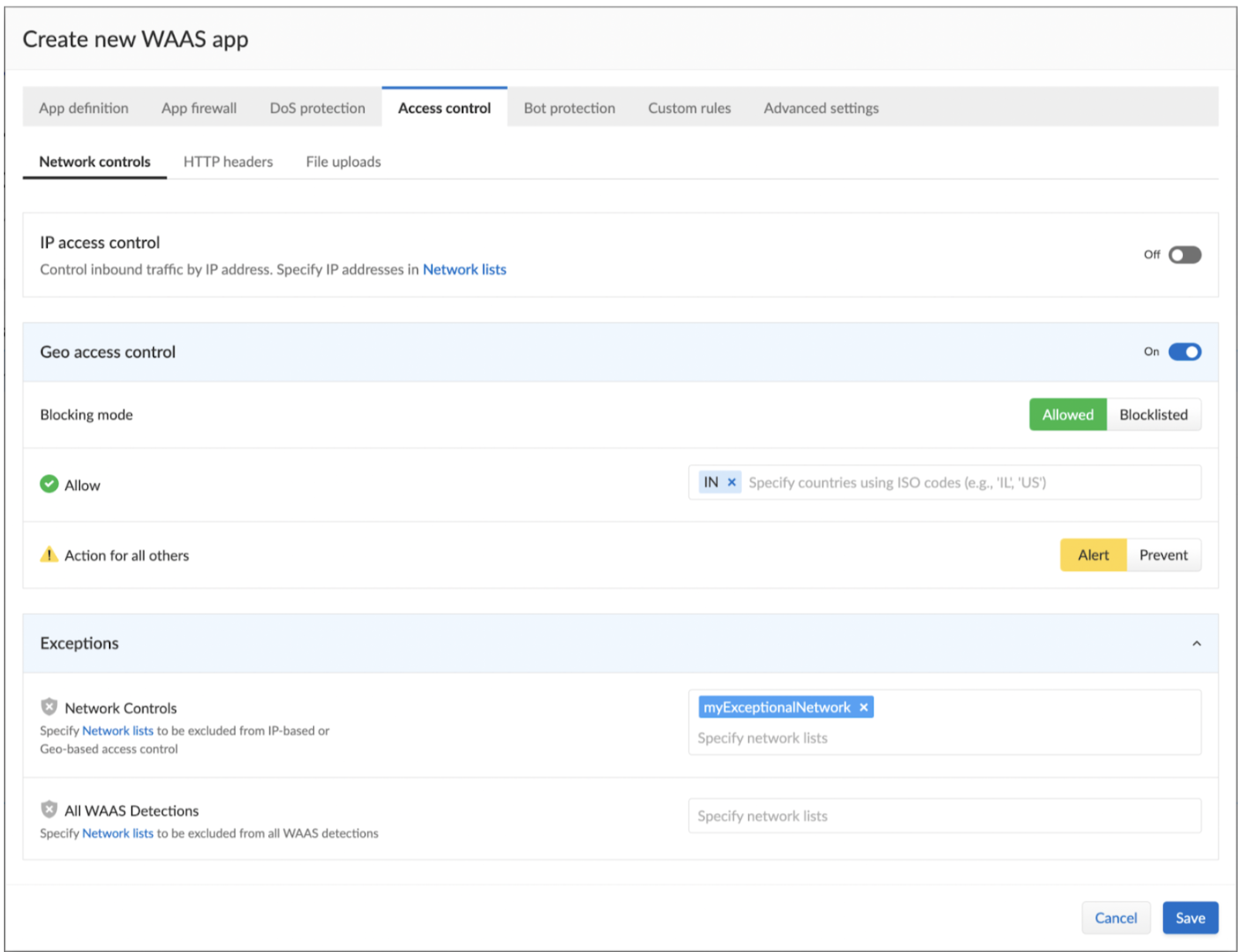
With **Geo access control** enabled, you can allow or block the traffic originating from the given Geolocation, and also opt to add an exception to this rule under **Exception > Network Controls**. For example, you can allow/blocklist all IPs from a given location, except for the IPs listed in a network list that you create under **Defend > WAAS > Network lists**. Specifying a network list under **Exceptions > All WAAS Detections** will bypass all the WAAS detections, for example for App definition, App firewall, Dos protection, Bot protection, and Custom rules.
### Country-Based Access Control
Specify country codes, [ISO 3166-1 alpha-2](https://en.wikipedia.org/wiki/ISO_3166-1_alpha-2#Officially_assigned_code_elements) format, in one of the following categories (mutually exclusive):
* ***Denied Inbound Source Countries*** - WAAS applies selected action (Alert or Prevent) for requests originating from the specified countries.
* ***Allowed Inbound Source Countries*** - Requests originating from specified countries will be forwarded to the application (pending inspection). WAAS will apply action of choice (Alert or Prevent) on all other requests not originating from the specified countries.
Country of origin is determined by the IP address associated with the request. When the X-Forwarded-For HTTP header is included in the request headers, Country of origin is determined based on the first IP address listed in the header value (true client IP).
## HTTP Header Controls
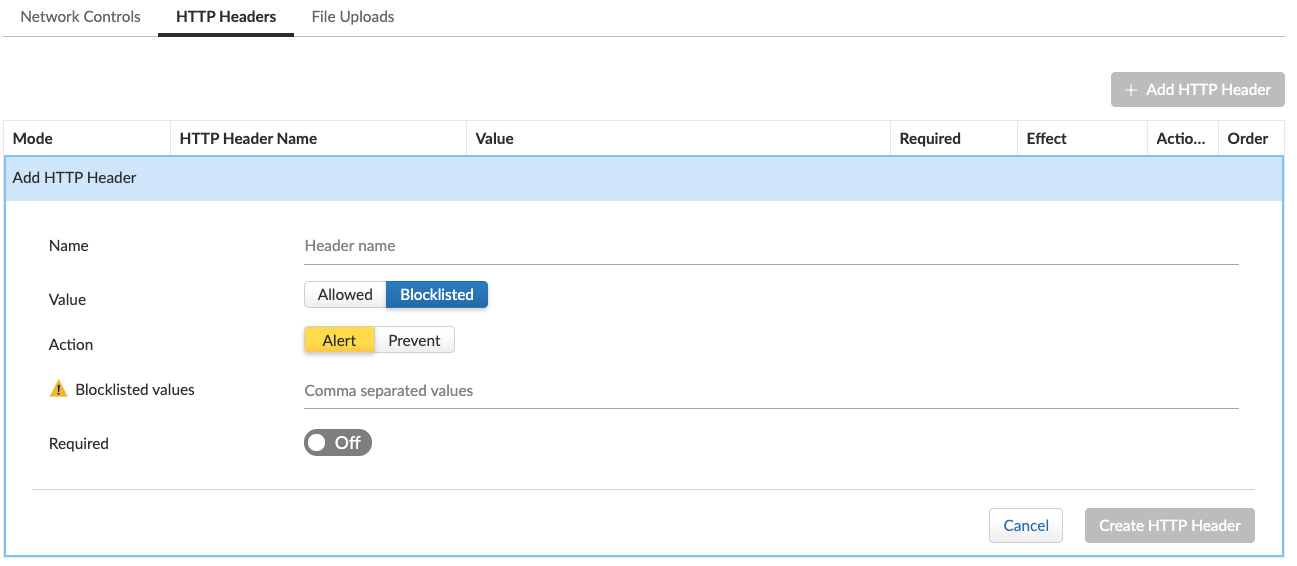
WAAS lets you block or allow requests which contain specific strings in HTTP headers by specifying a header name and a value to match. The value can be a full or partial string match. Standard [pattern matching](/admin-guide/33/configure/rule-ordering-pattern-matching.md#pattern-matching) is supported.
If the **Required** toggle is set to **On** WAAS will apply the defined action on HTTP requests in which the specified HTTP header is missing. When the **Required** toggle is set to **Off** no action will be applied for HTTP requests missing the specified HTTP header.
HTTP Header fields consist of a name, followed by a colon, and then the field value. When decoding field values, WAAS treats all commas as delimiters. For example, the `Accept-Encoding` request header advertises which compression algorithm the client supports.
```
Accept-Encoding: gzip, deflate, br
```
WAAS rules do not support exact matching when the value in a multi-value string contains a comma because WAAS treats all commas as delimiters. To match this type of value, use wildcards. For example, consider the following header:
```
User-Agent: Mozilla/5.0 (X11; Linux x86_64) AppleWebKit/537.36 (KHTML, like Gecko) Chrome/74.0.3729.108 Safari/537.36
```
To match it, specify the following wildcard expression in your WAAS rule:
```
Mozilla/5.0*
```
## File Upload Controls
Attackers may try to upload malicious files (e.g. malware) to your systems. WAAS protects your applications against malware dropping by restricting uploads to just the files that match any allowed content types. All other files will be blocked.
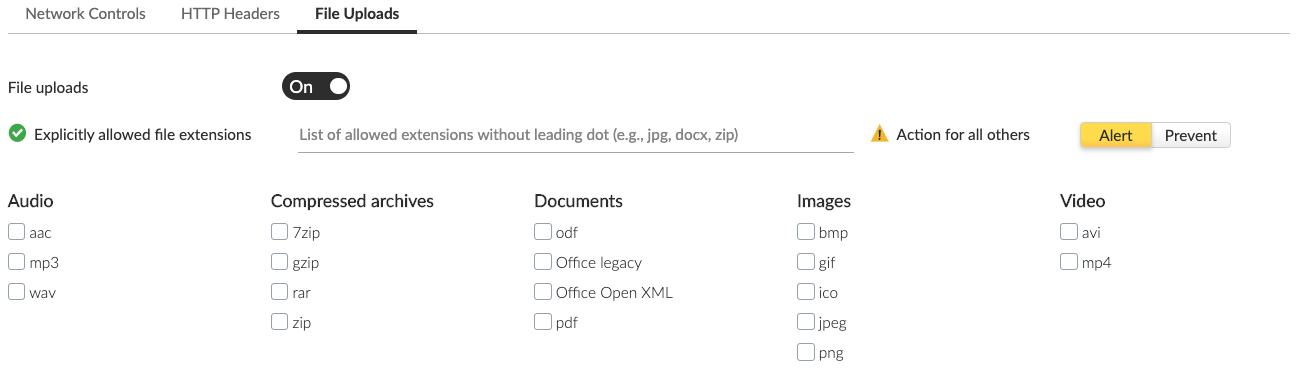
Files are validated both by their extension and their [magic numbers](https://en.wikipedia.org/wiki/Magic_number_\(programming\)). Built-in support is provided for the following file types:
* Audio: aac, mp3, wav.
* Compressed archives: 7zip, gzip, rar, zip.
* Documents: odf, pdf, Microsoft Office (legacy, Ooxml).
* Images: bmp, gif, ico, jpeg, png.
* Video: avi, mp4.
WAAS rules let you explicitly allow additional file extensions. These lists provide a mechanism to extend support to file types with no built-in support, and as a fallback in case Prisma Cloud’s built-in inspectors fail to correctly identify a file of a given type. Any file with an allowed extension is automatically permitted through the firewall, regardless of its 'magic number'.
---
# Agent Instructions
This documentation is published with GitBook. GitBook is the documentation platform designed so that both humans and AI agents can read, navigate, and reason over technical content effectively. Learn more at gitbook.com.
## Querying This Documentation
If you need additional information that is not directly available in this page, you can query the documentation by asking a question.
Perform an HTTP GET request on the following URL with the `ask` and `goal` query parameters:
```
GET https://docs.prismacloud.io/admin-guide/33/web-application-and-api-security-waas/waas-access-control.md?ask=&goal=
```
`ask` is the immediate question: it should be specific, self-contained, and written in natural language.
`goal` is what the user is ultimately trying to achieve, the reason they need the answer. Sharing it helps GitBook give you a better, more relevant answer. A goal is most helpful when it describes the outcome the user wants rather than restating the question. For example, with `ask=how do I create an API token`, a goal like `automate deployments from our CI pipeline` lets GitBook tailor the answer to that use case.
The response will contain a direct answer to the question and relevant excerpts and sources from the documentation.
Use this mechanism when the answer is not explicitly present in the current page, you need clarification or additional context, or you want to retrieve related documentation sections.