> For the complete documentation index, see [llms.txt](https://docs.prismacloud.io/llms.txt). Markdown versions of documentation pages are available by appending `.md` to page URLs; this page is available as [Markdown](https://docs.prismacloud.io/admin-guide/alerts/servicenow-sir.md).
# ServiceNow Security Incident Response
ServiceNow is a workflow management platform. It offers a number of security operations applications. You can configure Prisma Cloud to route alerts to ServiceNow’s Security Incident Response application.
Prisma Cloud audits are mapped to a ServiceNow security incident as follows:
* Audits and incidents are mapped to individual ServiceNow security incidents.
* Vulnerabilities are aggregated by resource (currently image) and mapped to individual ServiceNow security incidents. ServiceNow short description field lists the resource. ServiceNow description field lists the details of each finding.
* Compliance issues are aggregated by resource (image/container/host) and mapped to individual ServiceNow security incidents. ServiceNow short description field lists the resource. ServiceNow description field lists the details of each finding.
Compliance alerts will be sent to ServiceNow in real time (right after compliance scan), unlike the other alert providers which send compliance alerts every 24 hours.
Compliance alerts will be sent if the resource is new, or if there’s a difference in the number of compliance issues for this resource after its scan. All the compliance issues of the resource will be sent (not only the new ones).
| ServiceNow security incident | Field description | Prisma Cloud audit data |
| ---------------------------- | --------------------------------------------------------------------------------------------------------------------------------------------------------------------------------------------------------------------------------------------------------- | ------------------------------------------------------------------------------------------------------------------------------------------------------------------------------------------------------------------------------------------------------------------------------------------------------------------------------------------------------------------------------------------------------------------------------------------------------------------------------------------------------------------------------------------------------------------------------------------------------------------------------------------------------------------------------------------------------------------------------------------------------------------------------------------------------------------------------------------------------------------------------------------------------------------------- |
| State | The current state of the security incident. Upon security incident creation, this field defaults to Draft. | Draft (automatically set by ServiceNow) |
| Priority | Select the order in which to address this security incident, based on the urgency. If this value is changed after the record is saved, it can affect the Business impact calculation. |
Vulnerabilities: Max severity from the image’s new vulnerabilities. ServiceNow’s priorities map one-to-one to Prisma Cloud severities (Critical - Critical, High - High, Medium - Medium, Low - Low).
Compliance: Max severity from the image/container/host’s compliance issues. ServiceNow’s priorities map one-to-one to Prisma Cloud severities (Critical - Critical, High - High, Medium - Medium, Low - Low).
Incidents and audits: runtime audits priority set in the alert profile.
|
| Business impact | Select the importance of this security incident to your business. The default value is Non-critical. If, after the security incident record has been saved, you change the value in the Priority and/or Risk fields, the Business impact is recalculated. | Automatically calculated by ServiceNow |
| Assignment group | The group to which this security incident is assigned. | Assignment group set in the alert profile |
| Assigned to | The individual assigned to analyze this security incident. | Assignee set in the alert profile |
| Short description | A brief description of the security incident. |
Vulnerabilities: Prisma Cloud Compute vulnerabilities for image \
Compliance: Prisma Cloud Compute compliance issues for image/container/host \
|
| Category | | Set to "None" |
| Sub-category | | Set to "None" |
| Description | Description |
Vulnerabilities:
Related resource details
CVEs IDs list (with each CVE’s details)
Project
Collections
Compliance:
Related resource details
Compliance issues list (with each issue’s details)
Project
Collections
Incidents and audits:
Description
Related resource
Collections
Project
Time created
Then add all the other fields this type of Incident/Audit has
Note that the Project field will specify Central Console even when projects aren’t enabled.
Note that the Collections field will exist only for the following runtime audits: Admission Audits, Docker Audits, App Embedded Audits, Host Activities, Host Log Inspection, WAAS audits, Incidents, Defender Disconnected.
|
## Configuring alert frequency
You can configure the rate at which alerts are emitted. This is a global setting that controls the spamminess of the alert service. Alerts received during the specified period are aggregated into a single alert. For each alert profile, an alert is sent as soon as the first matching event is received. All subsequent alerts are sent once per period.
1. Open Console, and go to **Manage > Alerts**.
2. In **General settings**, select the default frequency for all alerts.
You can specify the following frequencies.
* **10 Minutes**
* **1 Hour**
* **1 Day**.
## Sending findings to ServiceNow
Alert profiles specify which events trigger the alert machinery, and to which channel alerts are sent. You can send alerts to any combination of channels by creating multiple alert profiles.
Alert profiles consist of two parts:
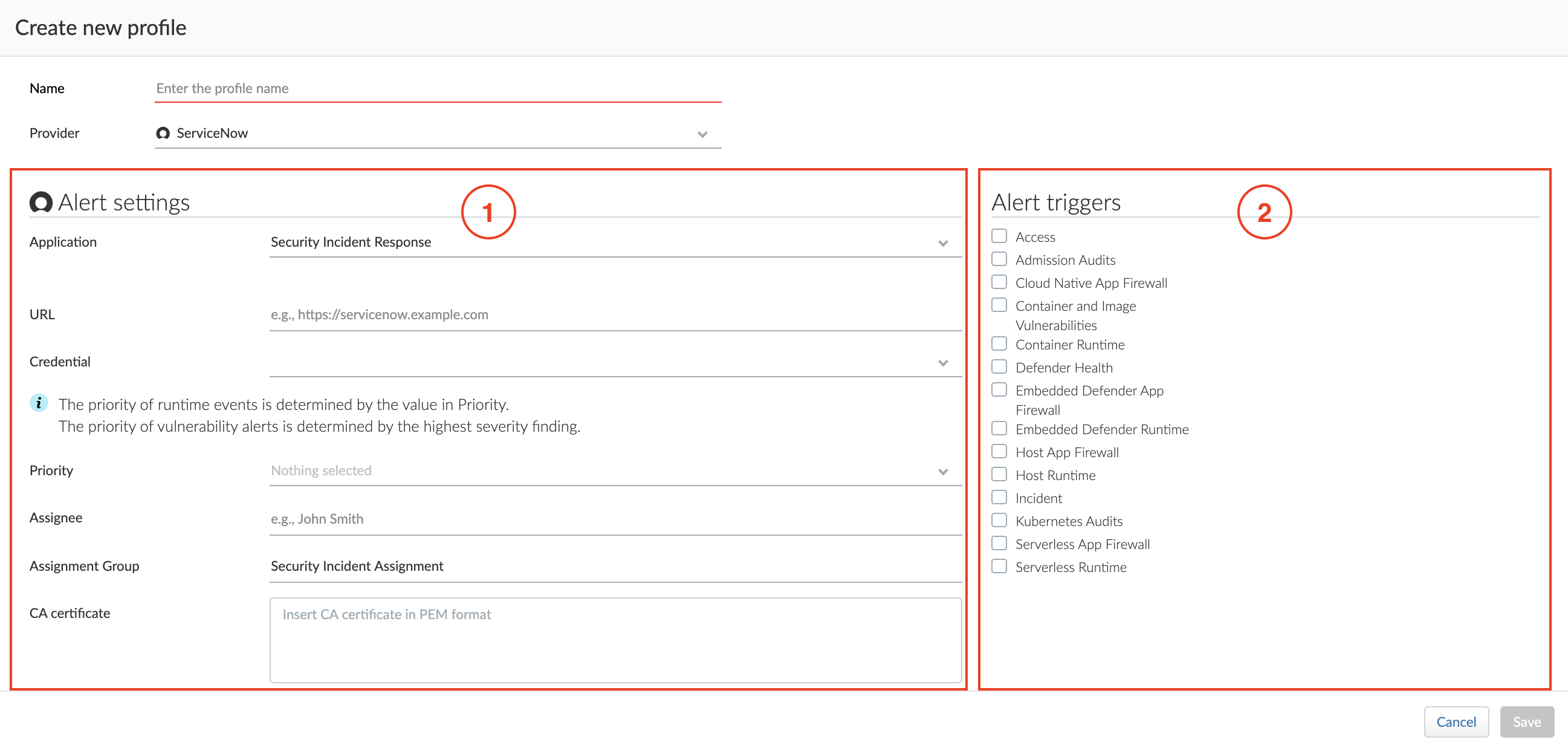
**(1) Alert settings — Who should get the alerts, and on what channel?** Configure Prisma Cloud to integrate with ServiceNow and specify the people or places where alerts should be sent. You can specify assignees and assignment groups.
**(2) Alert triggers — Which events should trigger an alert to be sent?** Specify which of the rules that make up your overall policy should trigger alerts.
## Create new alert profile
Create a new alert profile.
1. In **Manage > Alerts**, click **Add profile**.
2. Enter a name for your alert profile.
3. In **Provider**, select **ServiceNow**.
## Configure the channel
Configure Prisma Cloud to send alerts to ServiceNow, then validate the setup by sending a test alert.
**Prerequisites:** You’ve created a service account in ServiceNow with a base role of web\_service\_admin.
1. In **Application**, select **Security Incident Response**.
2. In **URL**, specify the base URL of your ServiceNow tenant.
For example, `https://ena03291.service-now.com`
3. In **Credential**, click **Add New**.
1. In **Type**, select **Basic authentication**.
This is currently the only auth method supported.
2. Enter a username and password.
4. (Optional) In **Assignee**, enter the name of a user in ServiceNow that will be assigned the security incident.
This value isn’t case sensitive.
5. (Mandatory) In **Assignment Group**, enter the name of a group in ServiceNow that will be assigned the security incident. The default value is **Security Incident Assignment**.
If **Assignment Group** is set without specifying **Assignee**, the first user from the group is set on the security incident (ServiceNow’s logic).
If the **Assignee** set in the profile isn’t a part of the **Assignment Group**, the security incident won’t be created (ServiceNow’s logic).
6. (Optional) In **CA certificate**, enter a CA certificate in PEM format. Relevant only for on-premises deployments of ServiceNow.
7. Click **Send Test Alert**. If everything looks good, and you get an alert in ServiceNow, save the profile.
## Configure the triggers
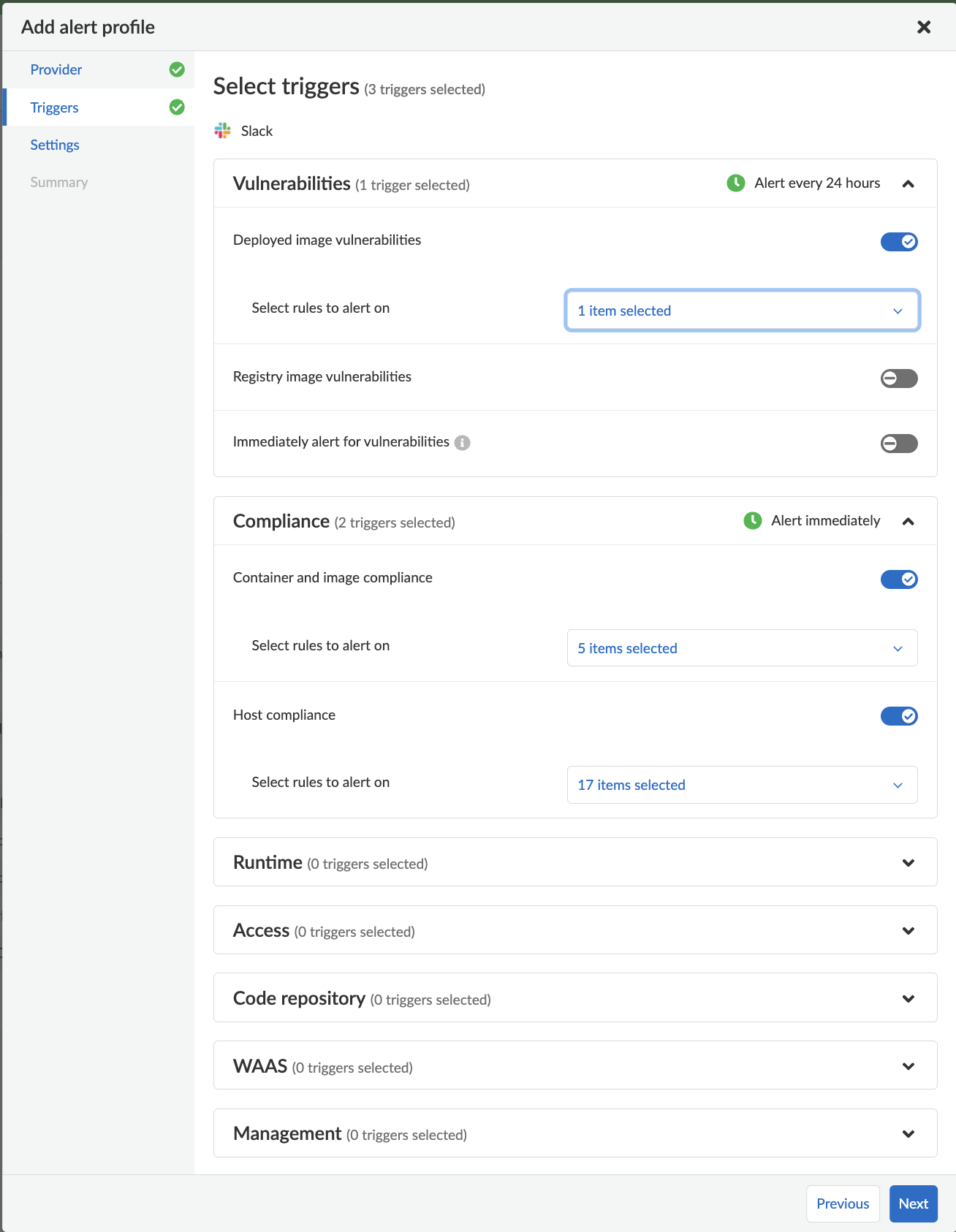
1. In **Select triggers**, select the events that should trigger an alert to be sent.
2. To specify specific rules that should trigger an alert, deselect **All rules**, and then select any individual rules.
3. Click **Next**.
---
# Agent Instructions
This documentation is published with GitBook. GitBook is the documentation platform designed so that both humans and AI agents can read, navigate, and reason over technical content effectively. Learn more at gitbook.com.
## Querying This Documentation
If you need additional information that is not directly available in this page, you can query the documentation by asking a question.
Perform an HTTP GET request on the following URL with the `ask` and `goal` query parameters:
```
GET https://docs.prismacloud.io/admin-guide/alerts/servicenow-sir.md?ask=&goal=
```
`ask` is the immediate question: it should be specific, self-contained, and written in natural language.
`goal` is what the user is ultimately trying to achieve, the reason they need the answer. Sharing it helps GitBook give you a better, more relevant answer. A goal is most helpful when it describes the outcome the user wants rather than restating the question. For example, with `ask=how do I create an API token`, a goal like `automate deployments from our CI pipeline` lets GitBook tailor the answer to that use case.
The response will contain a direct answer to the question and relevant excerpts and sources from the documentation.
Use this mechanism when the answer is not explicitly present in the current page, you need clarification or additional context, or you want to retrieve related documentation sections.