> For the complete documentation index, see [llms.txt](https://docs.prismacloud.io/llms.txt). Markdown versions of documentation pages are available by appending `.md` to page URLs; this page is available as [Markdown](https://docs.prismacloud.io/admin-guide/deployment-patterns/migration-options-for-scale-projects.md).
# Migration options for scale projects
Starting in 20.12, Console has substantially increased the number of simultaneous Defenders it can support. Each instance of Console can support 10K Defenders. With this new capability, scale projects have been deprecated.
Scale projects gave security teams full control over policies for all application teams. If you’re currently using scale projects, we offer the following migration paths when upgrading to 20.12
## Migration paths
If you’re using scale projects, there are two ways you can migrate to a supported configuration.
**1. Convert existing scale projects to tenant projects --**
When upgrading to 20.12, all existing scale projects will automatically be converted into tenant projects. Scale project policy rules will be converted to tenant project policy rules. From that point, any changes to the tenant project policies will only apply to the project itself, without any sync with Central Console.
If you choose this migration option, reevaluate the roles assigned to your users. After upgrading, users with the Admin, Operator, or Vulnerability Manager roles on the converted projects (now tenant projects) will have the ability to edit policy rules, so you might need to lower their privileges.
**2. Unify the scale projects into Central Console --**
Before upgrading to 20.12, redeploy all scale project Defenders and connect them directly to Central Console. Use collections and RBAC to control which resources can be viewed and managed by different users (see example below).
If you have more than 10K Defenders, consider deploying more than one tenant project. To share policies between tenants, develop an automated process on top of the API to push policies from one Console to the other.
## Using collections
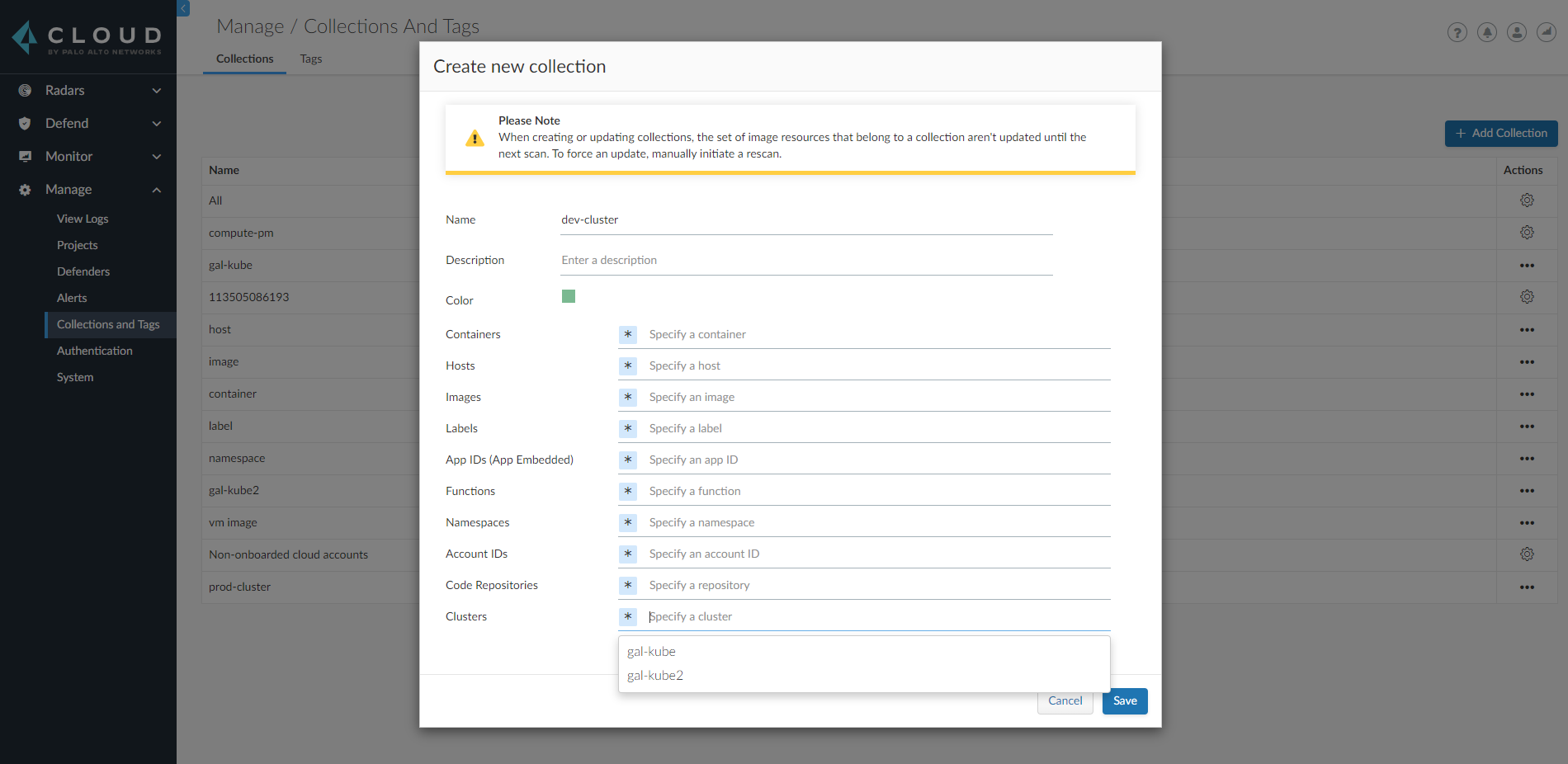
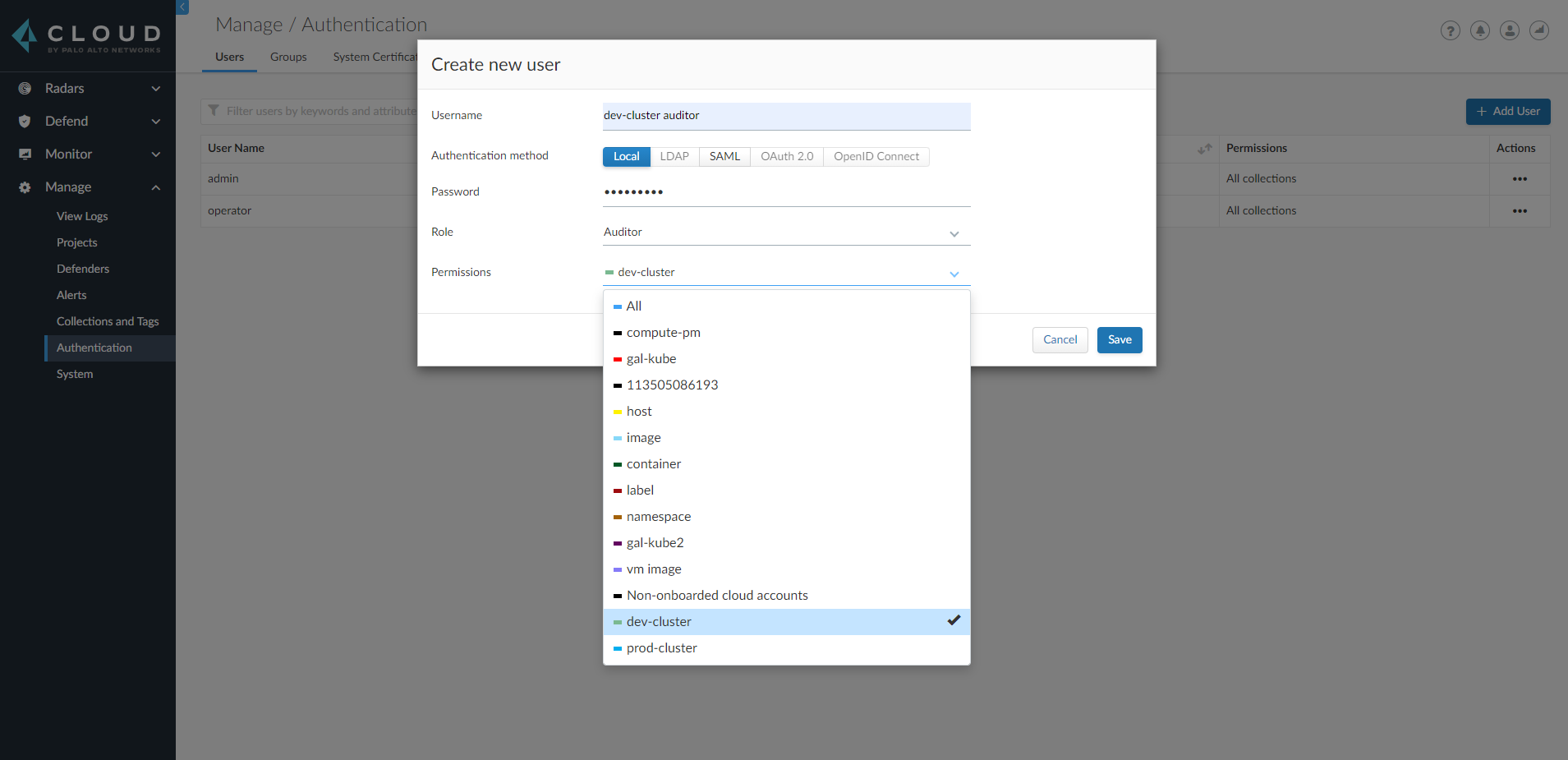
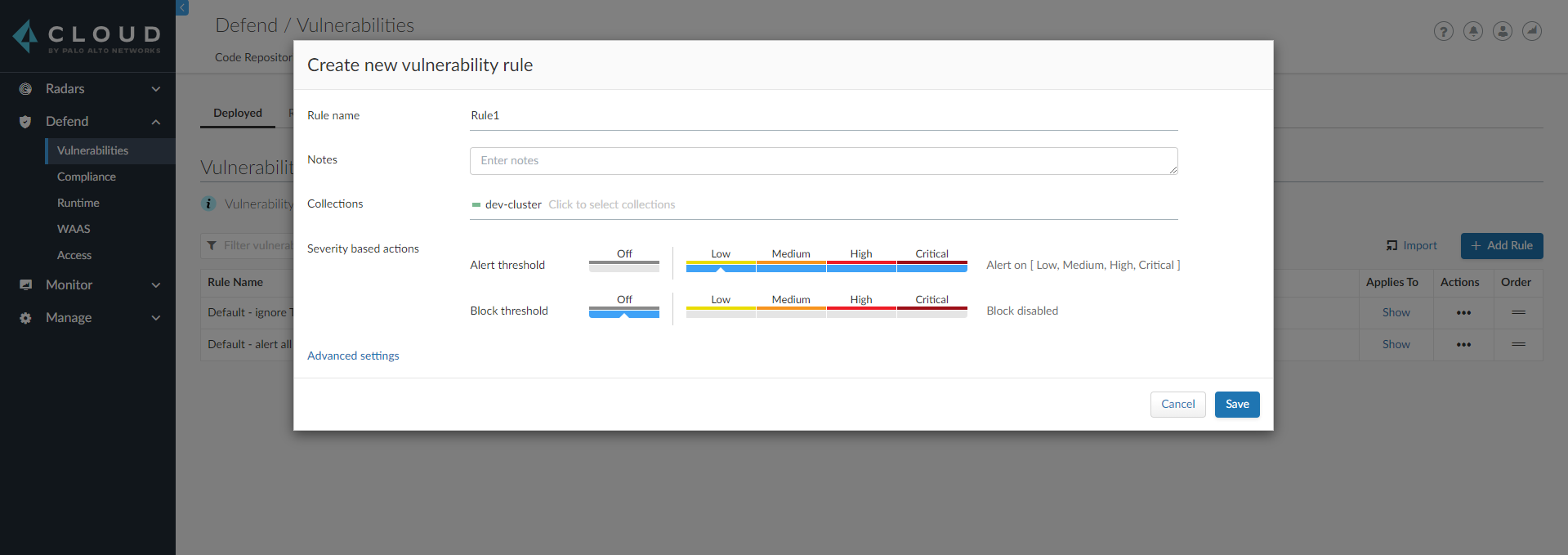
Examples of how to use collections in your migration.
**Create a collection for a specific cluster:**
**Assign the collection to a user:**
**Collections can also be used when defining policies:**
---
# Agent Instructions
This documentation is published with GitBook. GitBook is the documentation platform designed so that both humans and AI agents can read, navigate, and reason over technical content effectively. Learn more at gitbook.com.
## Querying This Documentation
If you need additional information that is not directly available in this page, you can query the documentation by asking a question.
Perform an HTTP GET request on the following URL with the `ask` and `goal` query parameters:
```
GET https://docs.prismacloud.io/admin-guide/deployment-patterns/migration-options-for-scale-projects.md?ask=&goal=
```
`ask` is the immediate question: it should be specific, self-contained, and written in natural language.
`goal` is what the user is ultimately trying to achieve, the reason they need the answer. Sharing it helps GitBook give you a better, more relevant answer. A goal is most helpful when it describes the outcome the user wants rather than restating the question. For example, with `ask=how do I create an API token`, a goal like `automate deployments from our CI pipeline` lets GitBook tailor the answer to that use case.
The response will contain a direct answer to the question and relevant excerpts and sources from the documentation.
Use this mechanism when the answer is not explicitly present in the current page, you need clarification or additional context, or you want to retrieve related documentation sections.