> For the complete documentation index, see [llms.txt](https://docs.prismacloud.io/llms.txt). Markdown versions of documentation pages are available by appending `.md` to page URLs; this page is available as [Markdown](https://docs.prismacloud.io/admin-guide/web-application-and-api-security-waas/waas-bot-protection.md).
# Bot protection
WAAS bot protection provides visibility into bots and other automation frameworks accessing protected web applications and APIs.
## Bot Categories
WAAS detects known good bots as well as other bots, headless browsers, and automation frameworks. WAAS is also able to fend off cookie-dropping clients and other primitive clients by mandating the use of cookies and javascript in order for the client to reach the protected origin.
Bots are categorized into the following Categories:
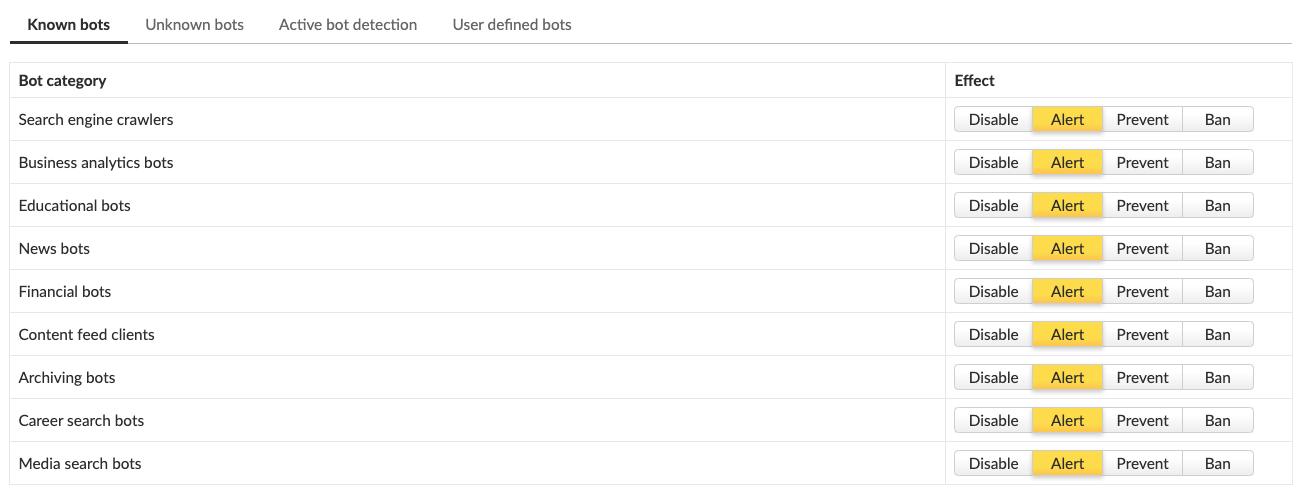
Known bots
* **Search Engine Crawlers** - Bots systematically crawling and indexing the World Wide Web to index pages for online searching. Also known as spider bots or web crawlers.
* **Business Analytics Bots** - Bots that crawl, extract, and index business related information.
* **Educational Bots** - Bots that crawl, extract and index information for educational purposes, such as academic search engines.
* **News Bots** - Bots that crawl, extract and index the latest news articles, usually for news aggregation services.
* **Financial Bots** - Bots that crawl, extract and index financial related data.
* **Content Feed Clients** - Automated tools, services or end-user clients that fetch web contents for feed readers.
* **Archiving Bots** - Bots that crawl, extract, and archive website information.
* **Career Search Bots** - Automated tools or online services that extract and index job-related postings.
* **Media Search Bots** - Bots that crawl, extract and index media contents for search engine purposes.
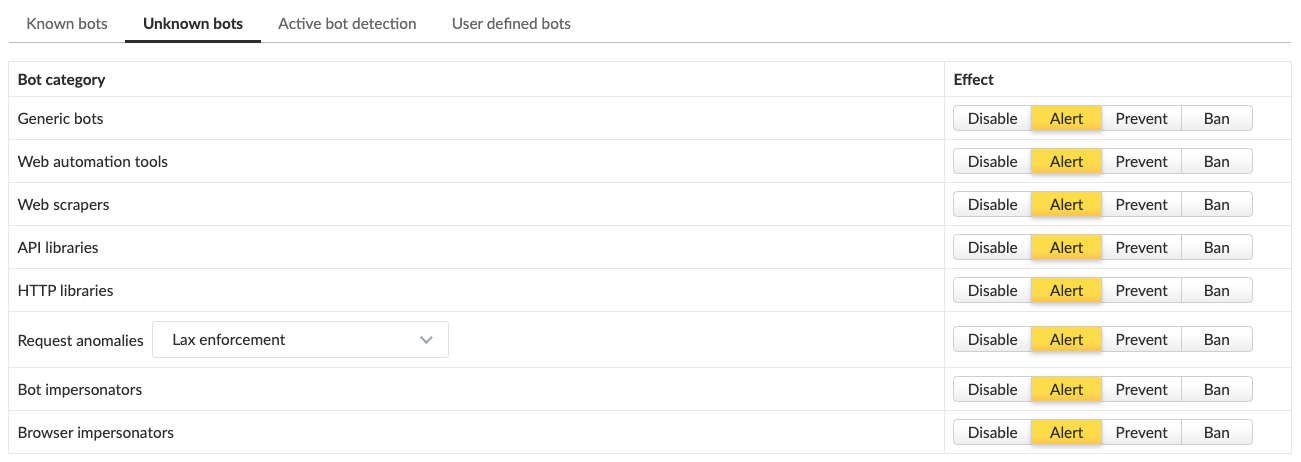
Unknown bots
This category contains various bots and other automation frameworks which cannot be classified by their activity or origin
* **Generic Bots** - Clients with attributes that indicate an automated bot.
* **Web Automation Tools** - Scriptable headless web browsers and similar web automation tools.
* **Web Scrapers** - Automated tools or services that scrape website contents.
* **API Libraries** - Software code libraries for Web API communications.
* **HTTP Libraries** - Software code libraries for HTTP transactions.
* **Request Anomalies** - HTTP requests with anomalies that are not expected from common web browsers.
* **Bot Impersonators** - Bots and automation tools impersonating as known good bots to evade rate limitation and other restrictions.
* **Browser Impersonators** - Automated tools or services that impersonate common web browser software.
User-defined bots
Users can create custom signatures to be used based on HTTP headers and source IPs. User-defined signatures are useful for tracking customer specific bots, self-developed automation clients and traffic that appears suspicious.
## Detection methods
WAAS uses static and active methods for detecting bots.
Static detections
Static detection examines each incoming HTTP request and analyzes it to determine whether it was sent by a bot.
Active detections
Active detections make use of javascript and [Prisma Sessions Cookies](/admin-guide/web-application-and-api-security-waas/waas-advanced-settings.md#prisma-session) to detect and classify bots.
When enabled, WAAS will set a Prisma Session cookie in each client. Prisma Session Cookies set by WAAS are encrypted and signed to prevent cookie tampering. In addition, cookies include advanced protections against cookie replay attacks where cookies are harvested and re-used in other clients.
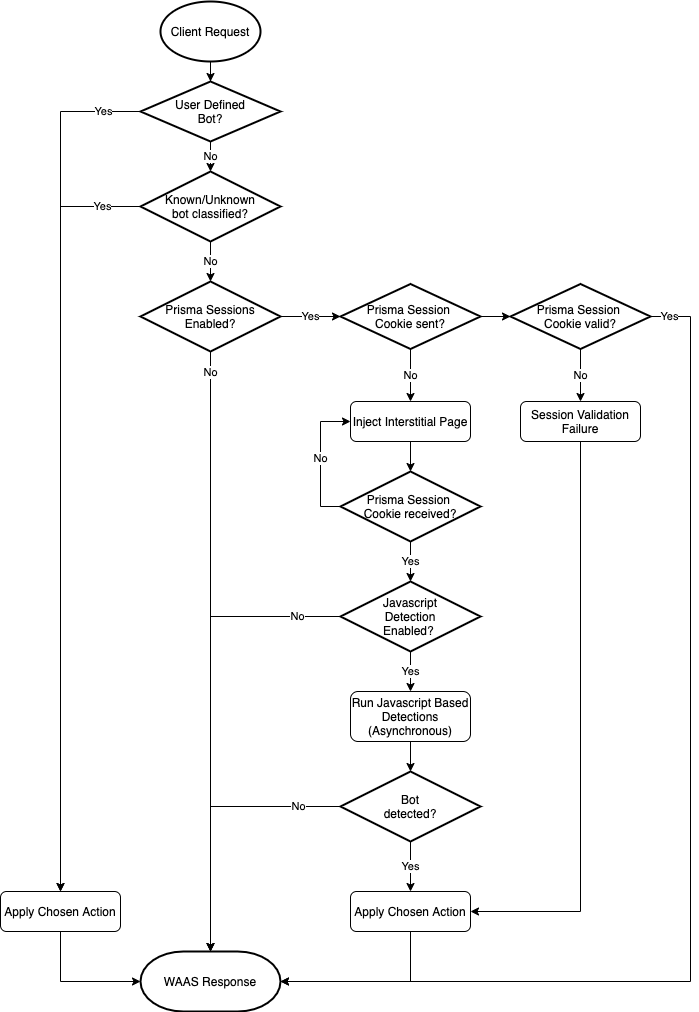
Prisma sessions are intended to address the problem of "Cookie Droppers" by validating clients support of cookies and Javascript before allowing them to reach the origin server. Once enabled, WAAS serves an interstitial page for any request that does not include a valid Prisma Session Cookie. The interstitial page sets a cookie and redirects the client to the requested page using Javascript. A client that doesn’t support cookies and Javascript will keep receiving the interstitial page. Browsers can easily proceed to the requested page, and once they possess a valid cookie they will not encounter the interstitial page.
In addition to [Prisma Sessions Cookies](/admin-guide/web-application-and-api-security-waas/waas-advanced-settings.md#prisma-session), active detections also include javascript-based detections. When enabled, javascript will be injected periodically in server responses to collect browser attributes and flag anomalies typical to various bot frameworks. Javascript fingerprint results are received and processed asynchronously and are used to classify session for future requests.
### Detection workflow
## Deploying Bot Protection
### Known bots
1. Go to **Bot protection > Known bots**.
2. Choose [actions](#bot-actions) for each bot category.
### Unknown bots
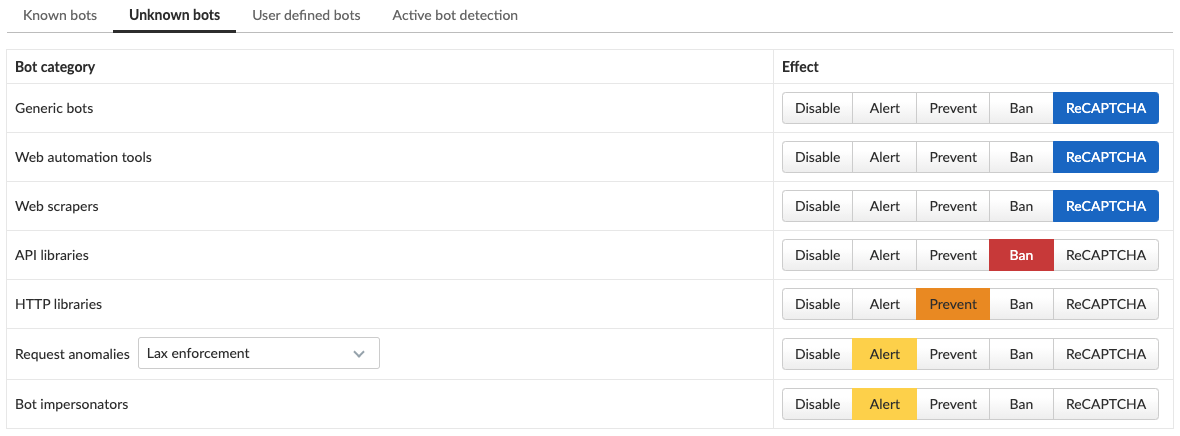
1. Go to **Bot protection > Unknown bots**.
2. Choose [actions](#bot-actions) for each bot category.
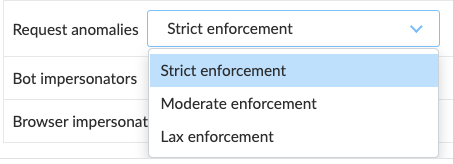
1. If `Request anomalies` are enabled, choose sensitivity threshold
1. **Strict enforcement** - high sensitivity (a few anomalies suffice for classifying as bot).
2. **Moderate enforcement** - medium sensitivity.
3. **Lax enforcement** - low sensitivity.
### User-defined bots
1. Go to **Bot protection > User defined bots**.
2. Select **Define new bot**.
3. Create bot signature by using a combination of the following fields:
1. **HTTP Header name** - specify HTTP header name to include in the signature
2. **Header Values** - comma-separated list of values to be matched on in the HTTP header. Wildcard is allowed.
3. **Inbound IP sources** - specify [Network list](/admin-guide/web-application-and-api-security-waas/waas-advanced-settings.md#network-lists) of IP addresses from which the bot originates.
4. Choose an [action](#bot-actions) to apply.
### Enabling active detections
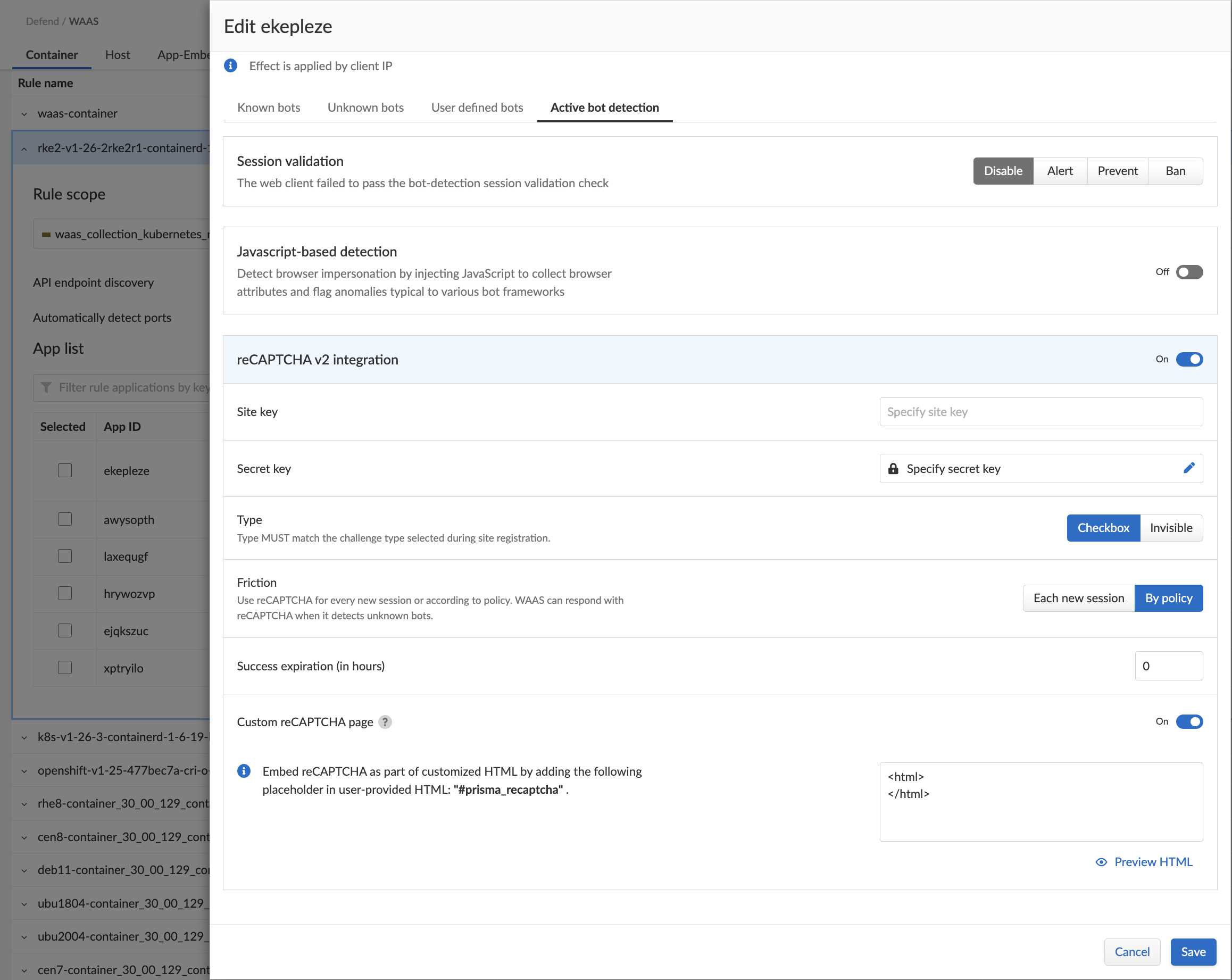
1. Go to **Bot protection > Active bot detection**.
Active Bot detection requires [Prisma Sessions Cookies](/admin-guide/web-application-and-api-security-waas/waas-advanced-settings.md#prisma-session) to be enabled in the `advanced settings` tab.
2. Choose [actions](#bot-actions) to apply.
1. **Session Validation** - action to apply when WAAS is unable to validate the session, either due to cookie tampering or cookie replay.
2. **Javascript-based detection** - enable periodic injection of javascript to collect browser attributes and flag anomalies typical to various bot frameworks.
3. **Javascript injection timeout** - once javascript is enabled, choose action to apply when the browser does not send a response to the javascript injection on time.
4. **reCAPTCHA v2 integration** - enable [Google’s reCAPTCHA v2](https://developers.google.com/recaptcha/intro) integration by specifying the site key, secret key and challenge type. For more details please refer to the elaborated [section](#recaptcha) on reCAPTCHA below.
## reCAPTCHA v2 integration
WAAS Users can enable [Google’s reCAPTCHA v2](https://developers.google.com/recaptcha/intro) integration by specifying the site key, secret key and challenge type. According to the user’s preference and settings, WAAS will serve a reCAPTCHA challenge at the beginning of each new session, or when a request is suspected of being sent by an unknown bot.
Only reCAPTCHA v2 is supported.
### Deploy reCAPTCHA
Deploy reCAPTCHA.
1. Enter the **Site key** provided during the site registration
2. Enter the **Secret key** provided during the site registration
3. Select the **Challenge type** specified during the site registration
Challenge type MUST match the challenge type selected on the reCAPTCHA site registration form (invisible or checkbox) for the reCAPTCHA integration to function properly.
WAAS reCAPTCHA v2 integration does not support "reCAPTCHA Android" type
4. Choose a preferred **friction**.
reCAPTCHA will ONLY be served for GET HTTP requests. WAAS will block requests sent using other methods until a reCAPTCHA challenge is solved and the success result is encoded into the Prisma Session Cookie.
* **By policy (reCAPTCHA as an action)** - when selected, a new effect will be available in the `Unknown bot` category
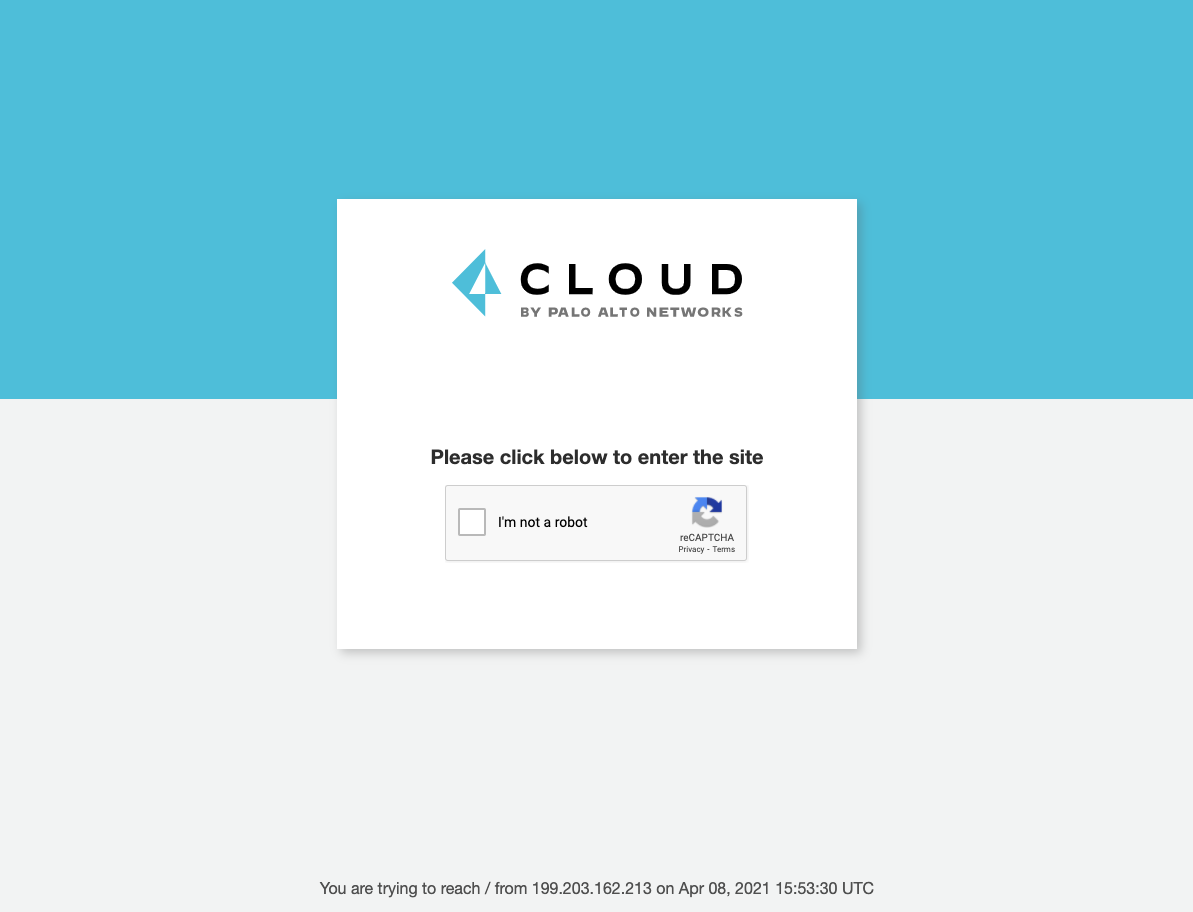
When the reCAPTCHA is selected, WAAS will serve an interstitial page with a reCAPTCHA challenge whenever the protection is triggered.
If the end-user successfully passes the challenge, it will be recorded in the Prisma Session Cookie for the duration of the `Success Expiration` setting (default is 24 hours).
* **Each new session** - Every new session will start with an interstitial page containing the reCAPTCHA challenge. If the end-user successfully passes the challenge, it will be recorded in the Prisma Session Cookie for the duration of the `Success Expiration` setting (default is 24 hours).
5. Set the **Success Expiration** (in hours).
This field determines how long a successful solution to a reCAPTCHA challenge will remain valid. Once the expiration date has passed, a new reCAPTCHA challenge will be presented (based on the selected friction settings).
6. Enable **Custom reCAPTCHA page** option to enter a customized HTML reCAPTCHA. The minimum required defender version is v30.00.
## Bot protection events
* **Known bots** - if a known bot is detected, the event message and attack type will provide details regarding the bot classification.
* **Unknown bots** - if an unknown bot is detected, the event message and attack type would provide details regarding the bot classification
* **User-defined bots** - a used-defined bot has been detected.
* **Session Validation** - The web client failed to pass the bot-detection session validation checks (e.g. prisma session cookie has been tampered with etc.).
* **Javascript Injection Timeout** - the web client failed to pass the bot-detection JavaScript injection check in reasonable time (timeout).
* **Missing Cookie** - client made a non GET request without a cookie.
* **Failed reCAPTCHA verification: \** - Google’s reCAPTCHA verification API has responded with an error message.
* **\ request when a reCAPTCHA page is required** - As mentioned in the [reCAPTCHA v2 integration section](#recaptcha), reCAPTCHA will ONLY be served for GET HTTP requests. WAAS will block requests sent using other methods until a reCAPTCHA challenge is solved and an event carrying this message will be registered.
## Bot Protection Actions
Requests that trigger a WAAS bot protection are subject to one of the following actions:
* **Alert** - The request is passed to the protected application and an audit is generated for visibility.
* **Prevent** - The request is denied from reaching the protected application, an audit is generated and WAAS responds with an HTML page indicating the request was blocked.
* **Ban** - Can be applied on either IP or [Prisma Session IDs](/admin-guide/web-application-and-api-security-waas/waas-advanced-settings.md#prisma-session). All requests originating from the same IP/Prisma Session to the protected application are denied for the configured time period (default is 5 minutes) following the last detected attack.
* **Allow (available for user-defined bots)** - request is forwarded to the protected application and no audit is generated.
* **reCAPTCHA** - a page will be served with a reCAPTCHA v2 challenge to be solved before proceeding to the website.
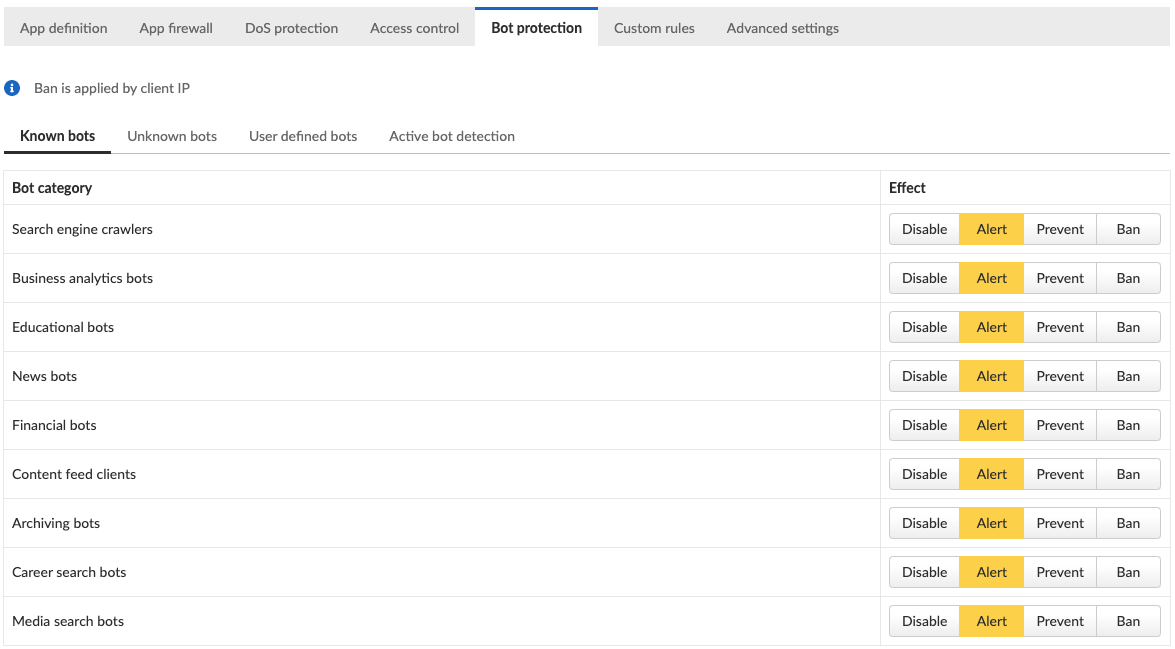
A message at the top of the page indicates the entity by which the ban will be applied (IP or Prisma Session ID). When the X-Forwarded-For HTTP header is included in the request headers, ban will apply based on the first IP listed in the header value (true client IP).
To enable ban by Prisma Session ID, [Prisma Session Cookies](/admin-guide/web-application-and-api-security-waas/waas-advanced-settings.md#prisma-session) has to be enabled in the Advanced Settings tab. for more information please refer to the [Advanced Settings](/admin-guide/web-application-and-api-security-waas/waas-advanced-settings.md#prisma-session) help page.
WAAS implements state, which is required for banning user sessions by IP address or Prisma Sessions. Because Defenders do not share state, any application that is replicated across multiple nodes must enable IP stickiness on the load balancer.
---
# Agent Instructions
This documentation is published with GitBook. GitBook is the documentation platform designed so that both humans and AI agents can read, navigate, and reason over technical content effectively. Learn more at gitbook.com.
## Querying This Documentation
If you need additional information that is not directly available in this page, you can query the documentation by asking a question.
Perform an HTTP GET request on the following URL with the `ask` and `goal` query parameters:
```
GET https://docs.prismacloud.io/admin-guide/web-application-and-api-security-waas/waas-bot-protection.md?ask=&goal=
```
`ask` is the immediate question: it should be specific, self-contained, and written in natural language.
`goal` is what the user is ultimately trying to achieve, the reason they need the answer. Sharing it helps GitBook give you a better, more relevant answer. A goal is most helpful when it describes the outcome the user wants rather than restating the question. For example, with `ask=how do I create an API token`, a goal like `automate deployments from our CI pipeline` lets GitBook tailor the answer to that use case.
The response will contain a direct answer to the question and relevant excerpts and sources from the documentation.
Use this mechanism when the answer is not explicitly present in the current page, you need clarification or additional context, or you want to retrieve related documentation sections.