> For the complete documentation index, see [llms.txt](https://docs.prismacloud.io/llms.txt). Markdown versions of documentation pages are available by appending `.md` to page URLs; this page is available as [Markdown](https://docs.prismacloud.io/content-collections/administration/configure-iam-security/what-is-prisma-cloud-iam-security.md).
# What is Prisma Cloud IAM Security?
Prisma Cloud IAM security capabilities help you evaluate the effective permissions assigned to users, workloads, and data (also called entitlements) on your cloud provider so that you can properly administer identity and access management (IAM) policies and enforce access using the principle of least privilege.
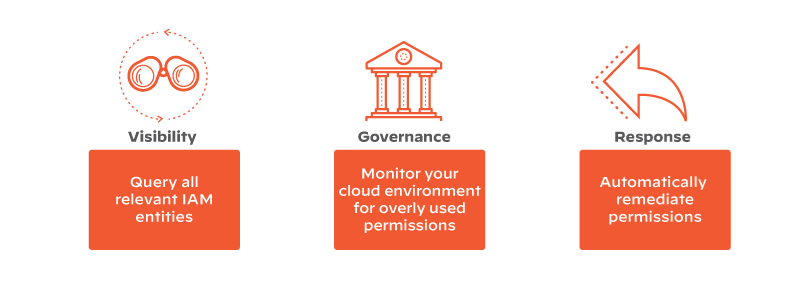
IAM Security provides:
* **Visibility**—Improve the visibility of effective permissions to resources in the cloud accounts. The ability to query all relevant IAM entities including all the relationships between the different entities and the entities’ effective permissions across multiple cloud environments.
* **Governance**—Monitor excess and unused privileges, provide out-of-the-box (default) security best practices policies, and review cloud identity compliance posture.
* **Response**—Enables you to automatically adjust effective IAM permissions to take action and reduce risk.
Prisma Cloud IAM security runs a proprietary algorithm to calculate effective permissions of the users across your cloud service providers. For example, the algorithm combines various cloud sources such as AWS IAM roles, AWS IAM policies, AWS IAM groups, AWS resource based policies, and AWS service control policies (SCPs) to compute the net effective permissions of cloud resources. It extends the Config query in RQL (`config from iam where`) to help you gain visibility into the entities in your cloud environment.
For example, with the net effective permissions calculation you can now discover the permissions for a specific user in your AWS, Azure, or GCP environment, such as, a user who has access to a AWS S3 bucket, Azure storage account, or Google storage bucket.
---
# Agent Instructions
This documentation is published with GitBook. GitBook is the documentation platform designed so that both humans and AI agents can read, navigate, and reason over technical content effectively. Learn more at gitbook.com.
## Querying This Documentation
If you need additional information that is not directly available in this page, you can query the documentation by asking a question.
Perform an HTTP GET request on the following URL with the `ask` and `goal` query parameters:
```
GET https://docs.prismacloud.io/content-collections/administration/configure-iam-security/what-is-prisma-cloud-iam-security.md?ask=&goal=
```
`ask` is the immediate question: it should be specific, self-contained, and written in natural language.
`goal` is what the user is ultimately trying to achieve, the reason they need the answer. Sharing it helps GitBook give you a better, more relevant answer. A goal is most helpful when it describes the outcome the user wants rather than restating the question. For example, with `ask=how do I create an API token`, a goal like `automate deployments from our CI pipeline` lets GitBook tailor the answer to that use case.
The response will contain a direct answer to the question and relevant excerpts and sources from the documentation.
Use this mechanism when the answer is not explicitly present in the current page, you need clarification or additional context, or you want to retrieve related documentation sections.