> For the complete documentation index, see [llms.txt](https://docs.prismacloud.io/llms.txt). Markdown versions of documentation pages are available by appending `.md` to page URLs; this page is available as [Markdown](https://docs.prismacloud.io/content-collections/alerts/alert-notifications.md).
# Alerts and Notifications on Prisma Cloud
In your journey to achieving zero breach, zero risks, and zero blind spots, you need to quickly find issues, triage and fix them to minimize the impact to your cloud estate. Prisma Cloud provides continuous monitoring for cloud environments so that you have the visibility and opportunity to take action at the right stage of the code to cloud lifecycle. It correlates configuration data with user behavior and network traffic to provide context around misconfigurations and threats in the form of actionable alerts.
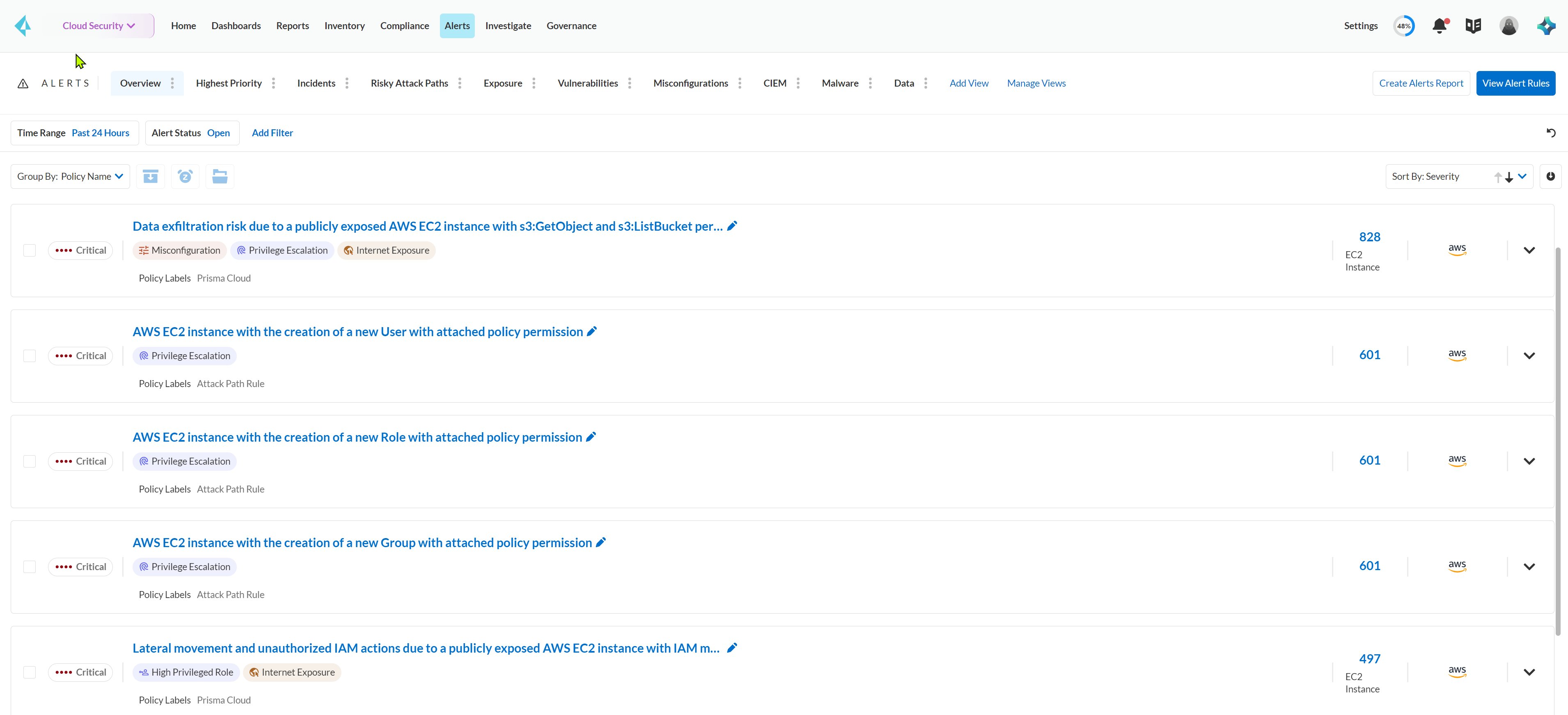
Upon onboarding your cloud account, Prisma Cloud immediately starts monitoring and correlating data. For alerts to be generated, it’s essential for the cloud account to be part of an account group and be associated with an alert rule specifying which policy violations should trigger alerts. To make it easy, Prisma Cloud offers default account groups and alert rules that use out-of-the-box policies to scan for violations and generate alerts. You can view the alerts on **Alerts**.
For effective security, it’s essential to address alerts promptly. Sometimes this means fixing issues in the runtime resource immediately, while at other times, you need to fix it during the code-and-build phase prior to deployment.
To assist in alert prioritization, Prisma offers default **Views** that include an Overview, along with a prioritized set of the highest fidelity alerts that need you attention such as Incidents, Risky Attack Paths,Vulnerabilities for your monitored cloud accounts. You can filter based on the most important alert criteria to create your own [Views](/content-collections/alerts/view-respond-to-prisma-cloud-alerts.md#create-views).
In addition, you can [Configure External Integrations on Prisma Cloud](https://github.com/PaloAltoNetworks/pc-docs-md/tree/main/enterprise-edition/content-collections/administration/configure-external-integrations-on-prisma-cloud/configure-external-integrations-on-prisma-cloud.md) with third-party technologies, such as SIEM platforms, ticketing systems, messaging systems, and automation frameworks so that you can continue using your existing operational, escalation, and notification tools. To monitor your cloud infrastructures more efficiently and provide visibility in to actionable events across all your cloud workloads, you can also [Generate Reports](https://github.com/PaloAltoNetworks/pc-docs-md/tree/main/enterprise-edition/content-collections/alerts/generate-reports-on-prisma-cloud-alerts.md) — on-demand or scheduled reports on open alerts and email them to your stakeholders.
---
# Agent Instructions
This documentation is published with GitBook. GitBook is the documentation platform designed so that both humans and AI agents can read, navigate, and reason over technical content effectively. Learn more at gitbook.com.
## Querying This Documentation
If you need additional information that is not directly available in this page, you can query the documentation by asking a question.
Perform an HTTP GET request on the following URL with the `ask` and `goal` query parameters:
```
GET https://docs.prismacloud.io/content-collections/alerts/alert-notifications.md?ask=&goal=
```
`ask` is the immediate question: it should be specific, self-contained, and written in natural language.
`goal` is what the user is ultimately trying to achieve, the reason they need the answer. Sharing it helps GitBook give you a better, more relevant answer. A goal is most helpful when it describes the outcome the user wants rather than restating the question. For example, with `ask=how do I create an API token`, a goal like `automate deployments from our CI pipeline` lets GitBook tailor the answer to that use case.
The response will contain a direct answer to the question and relevant excerpts and sources from the documentation.
Use this mechanism when the answer is not explicitly present in the current page, you need clarification or additional context, or you want to retrieve related documentation sections.