> For the complete documentation index, see [llms.txt](https://docs.prismacloud.io/llms.txt). Markdown versions of documentation pages are available by appending `.md` to page URLs; this page is available as [Markdown](https://docs.prismacloud.io/content-collections/alerts/risk-prioritization-remediation.md).
# Risk Prioritization and Remediation
Prisma Cloud brings security findings into a single data lake, correlates different risks to identify attack paths, and prioritizes issues that pose the greatest threat to your applications. It unifies data, provides contextual insights, and helps you to identify the root cause.
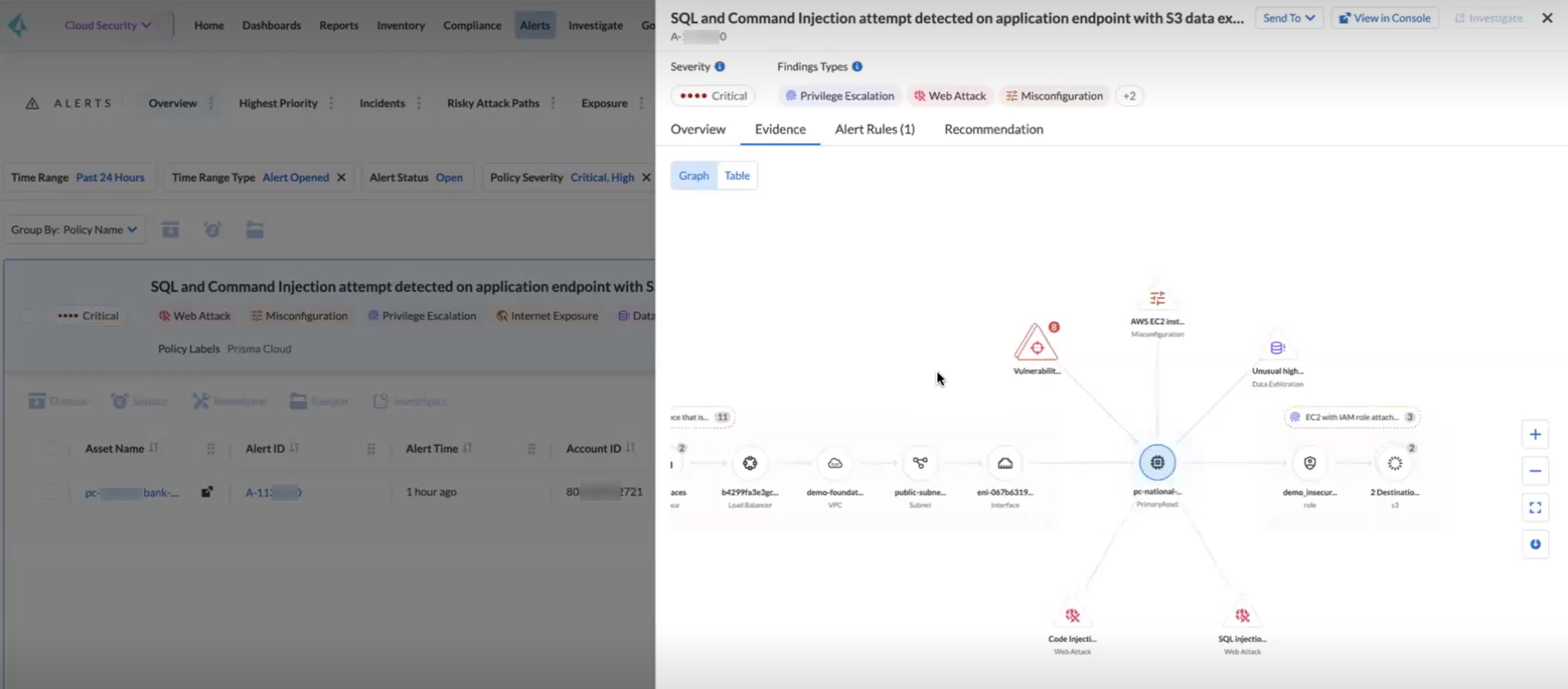
With Prisma Cloud risk prioritization you can find out what is going wrong in your cloud environment and also what can go wrong. With code to cloud traceability and zero blind spots, your security teams can prioritize the critical risks, incidents, anomalies, and threats within your cloud environment and fix them quickly.
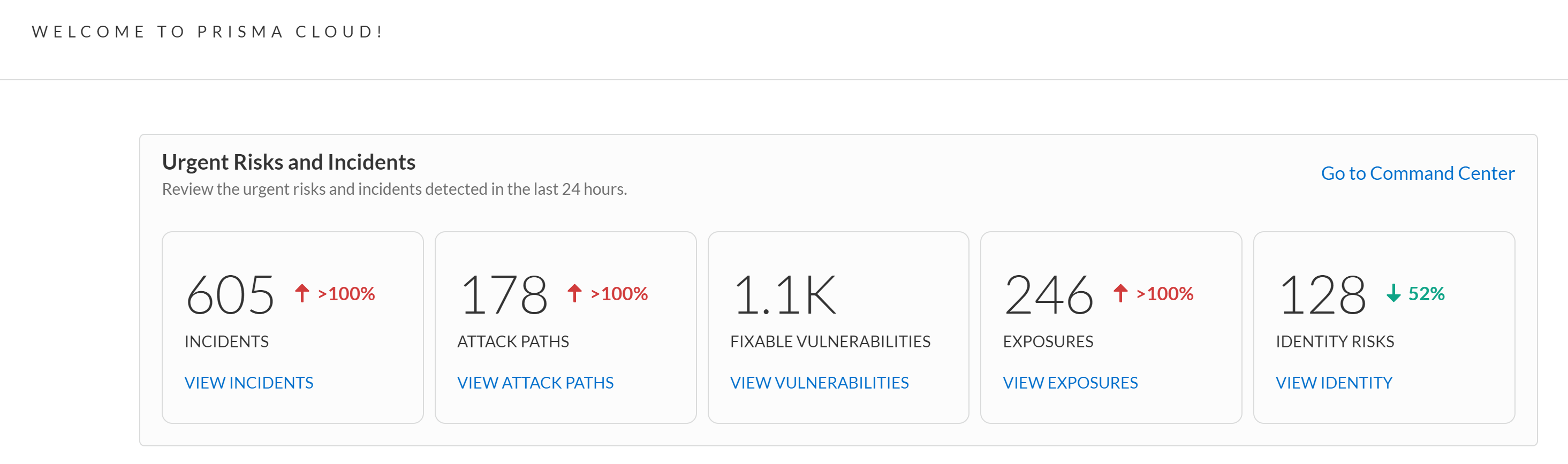
Prisma Cloud reports issues, such as misconfigurations, network exposures, anomalies, and threats as **Findings**. On the Home page, begin with the view into the urgent risks and incidents detected in the last 24 hours and prioritize accordingly.
You can use [Prisma Cloud Copilot](/content-collections/prisma-cloud-copilot/prisma-cloud-copilot-benefits.md) to easily find risks and manage vulnerabilities in your cloud environment.
## Remediate
Prisma Cloud has the full application lifecycle visibility from code, build, deploy, and run and provides you with code to cloud remediation. It delivers contextualized and prioritized alerts that combine multiple signals across Exposure, Vulnerability, Data Risks, and Identity to help you focus on the most urgent things you need to fix.
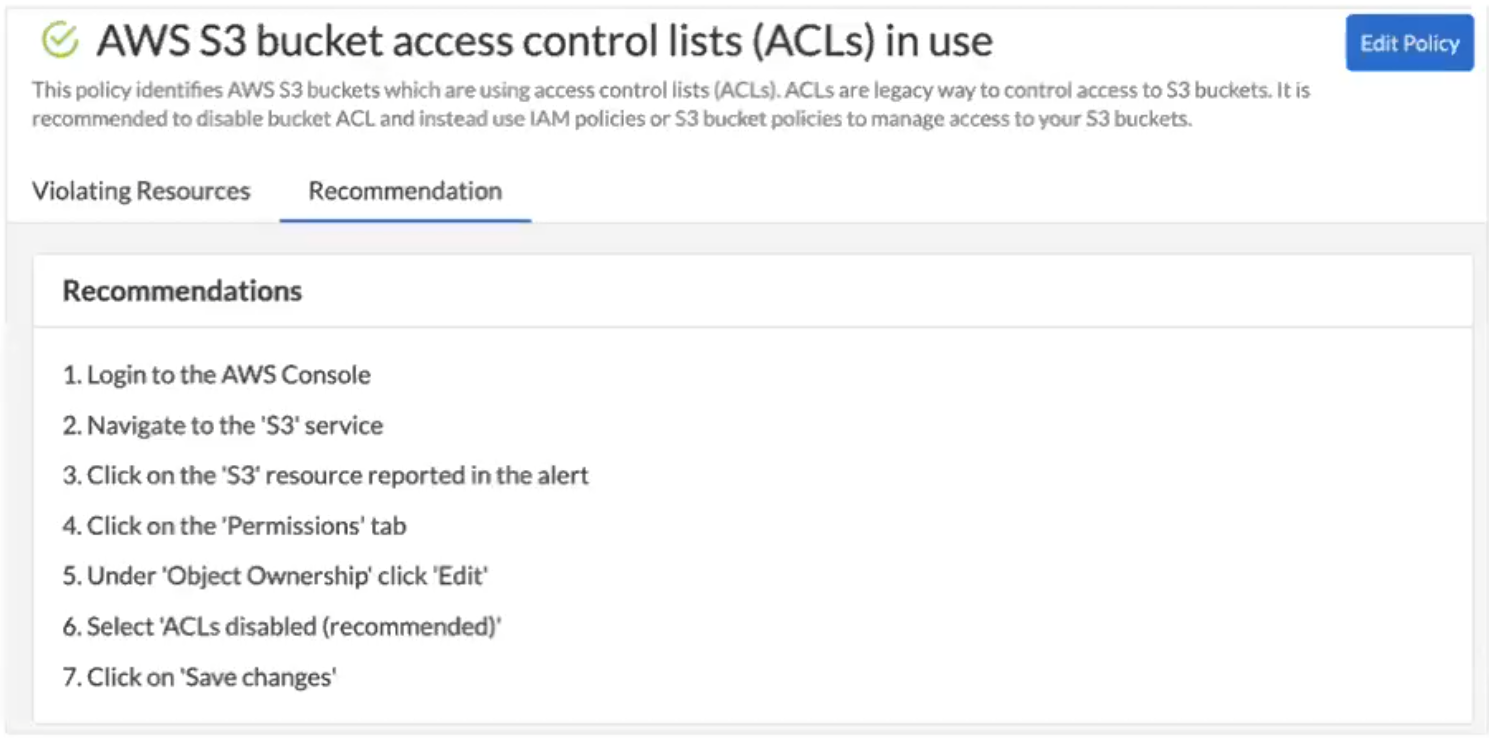
Along with the policy definition, the [Attack Path](/content-collections/governance/attack-path-policies.md) policies also provide detailed recommendation steps to fix the issue that you can hand-off to your DevOps team. It also includes the CLI command or script relevant to each of the steps provided in the recommendation. For example, you have to log into your AWS console and execute the specific (recommended) CLI command, so that you have it in the alert payload, and you know what action you need to take against the critical risk in your environment.
## Fix in Cloud
You can reduce the meantime to remediate alerts (auto-remediate) by fixing the critical issues in the cloud.
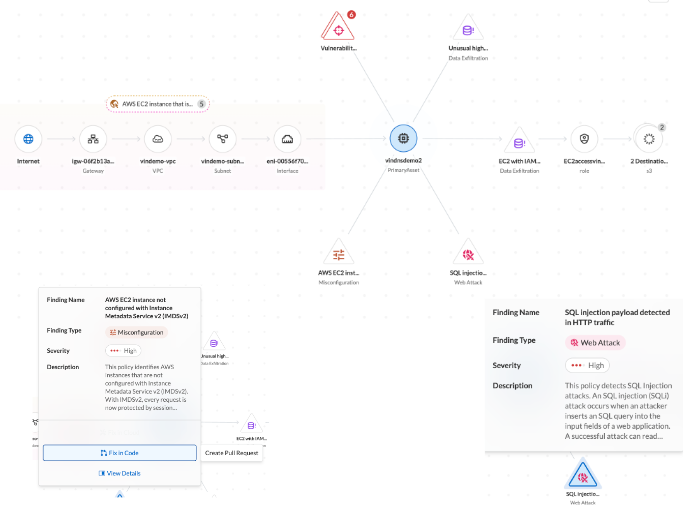
To minimize the attack surface you have to break the attack path chain. For example, if a policy includes a misconfiguration or a vulnerability, you fix the misconfiguration, or address the vulnerability by applying a virtual patch. From the graph, select [fix in cloud](https://docs.prismacloud.io/content-collections/alerts/pages/213gZrbzle8M5tCesjJj#triage-alerts.adoc) and auto-remediate issues in runtime without logging into your AWS, Azure, or GCP cloud environments.
## Fix in Code
You can prevent recurring risks by fixing misconfigurations at the source.
At times misconfigurations and vulnerabilities are created by infrastructure as a code template, cloud formation template, or by the automation you use to deploy your assets in runtime. Because Prisma Cloud has visibility in application lifecycle, it can trace the runtime assets back to the exact code snippet and informs you about the origin for you to [fix in code](https://docs.prismacloud.io/content-collections/alerts/pages/213gZrbzle8M5tCesjJj#triage-alerts.adoc) and eliminate the root cause.
---
# Agent Instructions
This documentation is published with GitBook. GitBook is the documentation platform designed so that both humans and AI agents can read, navigate, and reason over technical content effectively. Learn more at gitbook.com.
## Querying This Documentation
If you need additional information that is not directly available in this page, you can query the documentation by asking a question.
Perform an HTTP GET request on the following URL with the `ask` and `goal` query parameters:
```
GET https://docs.prismacloud.io/content-collections/alerts/risk-prioritization-remediation.md?ask=&goal=
```
`ask` is the immediate question: it should be specific, self-contained, and written in natural language.
`goal` is what the user is ultimately trying to achieve, the reason they need the answer. Sharing it helps GitBook give you a better, more relevant answer. A goal is most helpful when it describes the outcome the user wants rather than restating the question. For example, with `ask=how do I create an API token`, a goal like `automate deployments from our CI pipeline` lets GitBook tailor the answer to that use case.
The response will contain a direct answer to the question and relevant excerpts and sources from the documentation.
Use this mechanism when the answer is not explicitly present in the current page, you need clarification or additional context, or you want to retrieve related documentation sections.