> For the complete documentation index, see [llms.txt](https://docs.prismacloud.io/llms.txt). Markdown versions of documentation pages are available by appending `.md` to page URLs; this page is available as [Markdown](https://docs.prismacloud.io/content-collections/cloud-and-software-inventory/compute-workloads-inventory.md).
# Compute Workloads Inventory
As you onboard your Cloud accounts, Prisma Cloud Asset Inventory gives you a summarized view of Compute workloads (containers and hosts) across your entire workload for discovery, risk assessment, and securing the assets in runtime. The inventory helps you to assess and prevent breaches on Cloud workloads, say for example, you can review and protect the Kubernetes clusters in your deployment in runtime.
**Prerequisites**
* Onboard your Cloud account and deploy the Kubernetes clusters.
* [Deploy Defenders](https://github.com/PaloAltoNetworks/pc-docs-md/tree/main/enterprise-edition/content-collections/runtime-security/install/deploy-defender/deploy-defender.md) (Orchestrator in this case) to monitor your K8s clusters and enable the admission controller.
In the Asset Inventory for Compute Workload, you can:
* Discover compute workload assets (container images and hosts) across your Cloud environment.
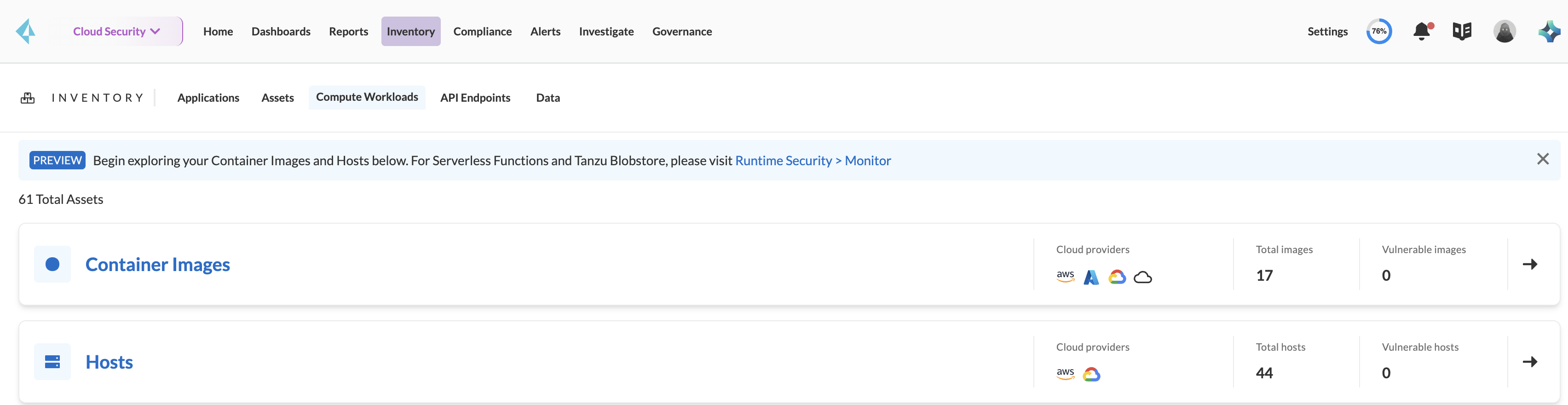
* Get a total count of container images and hosts across your workload.
* View a total count of vulnerable images and hosts.
* Identify the Cloud providers of the images and filter the vulnerable images.
* View how the container images are spread across the application lifecycle.
* Assess the images and hosts for the most impactful vulnerabilities, based on CVEs that are critical, exploitable, or patchable.
* Assess the vulnerable hosts for attack paths, alerts, risk factors, and vulnerabilities.
## Discover Compute Workload Assets
The findings on **Inventory > Compute Workloads** help you to assess the impact of the vulnerable container images and hosts on your application lifecycle, identify the top impacting vulnerabilities based on critical CVEs, and identify the Cloud providers these assets belong to.
You can discover the relationships between the registry images and the deployed images and prioritize the compute workloads based on the top impactful vulnerabilities to focus on. This gives you a better understanding of your security posture and helps to identify the image and host-related security risks.
### Risk Assessment for Container
In **Inventory > Compute Workloads > Container Images** you can assess the container images to understand the image-related risks.
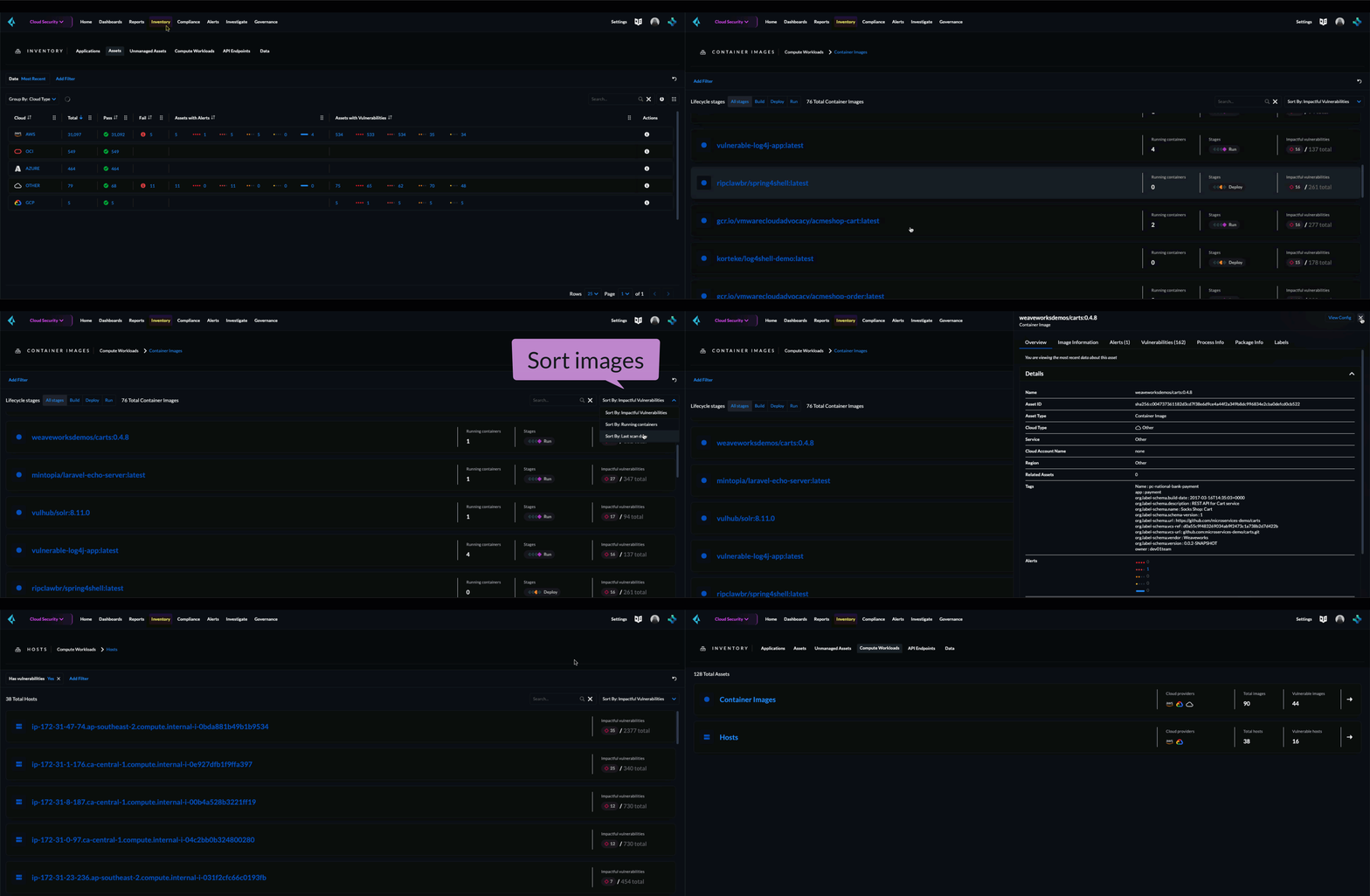
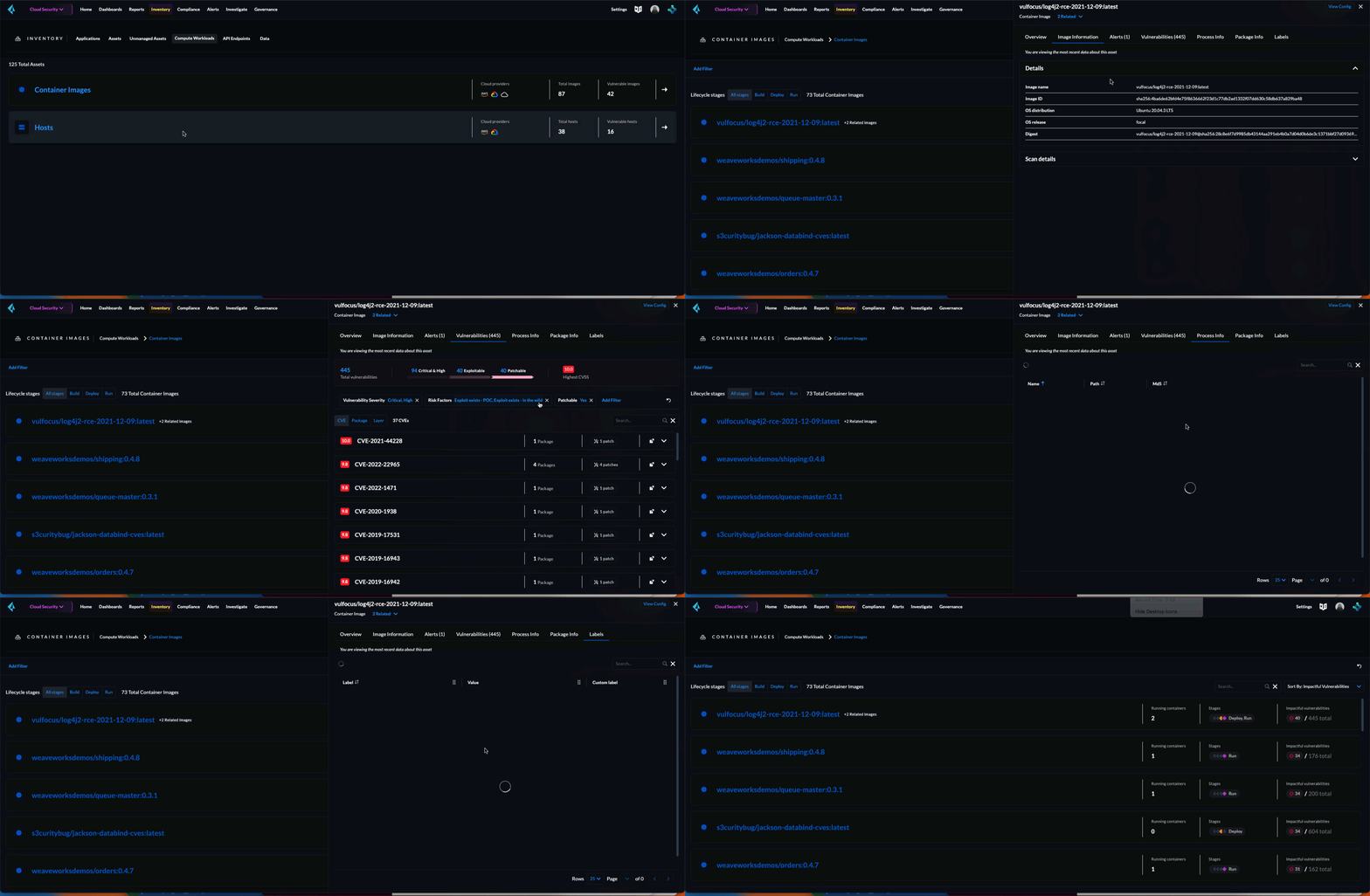
Trace how the vulnerable container images are spread across your application’s **Lifecycle stages**. You can sort the results based on images with the most impactful vulnerabilities, running containers with these vulnerable images, and the most recent scanned vulnerable images.
Select a container image, to get more information, such as the alerts profile and the policies violated, vulnerabilities profile, risky processes, risky packages installed in the image, and labels associated with that image.
### Risk Assessment for Hosts
**Inventory > Compute Workloads > Hosts** helps you assess the security posture for the most impactful hosts based on CVEs that are critical and high, exploitable, or patchable.
You can filter the vulnerable hosts and also sort the list based on the most impactful vulnerabilities, and the recent vulnerable hosts scanned.
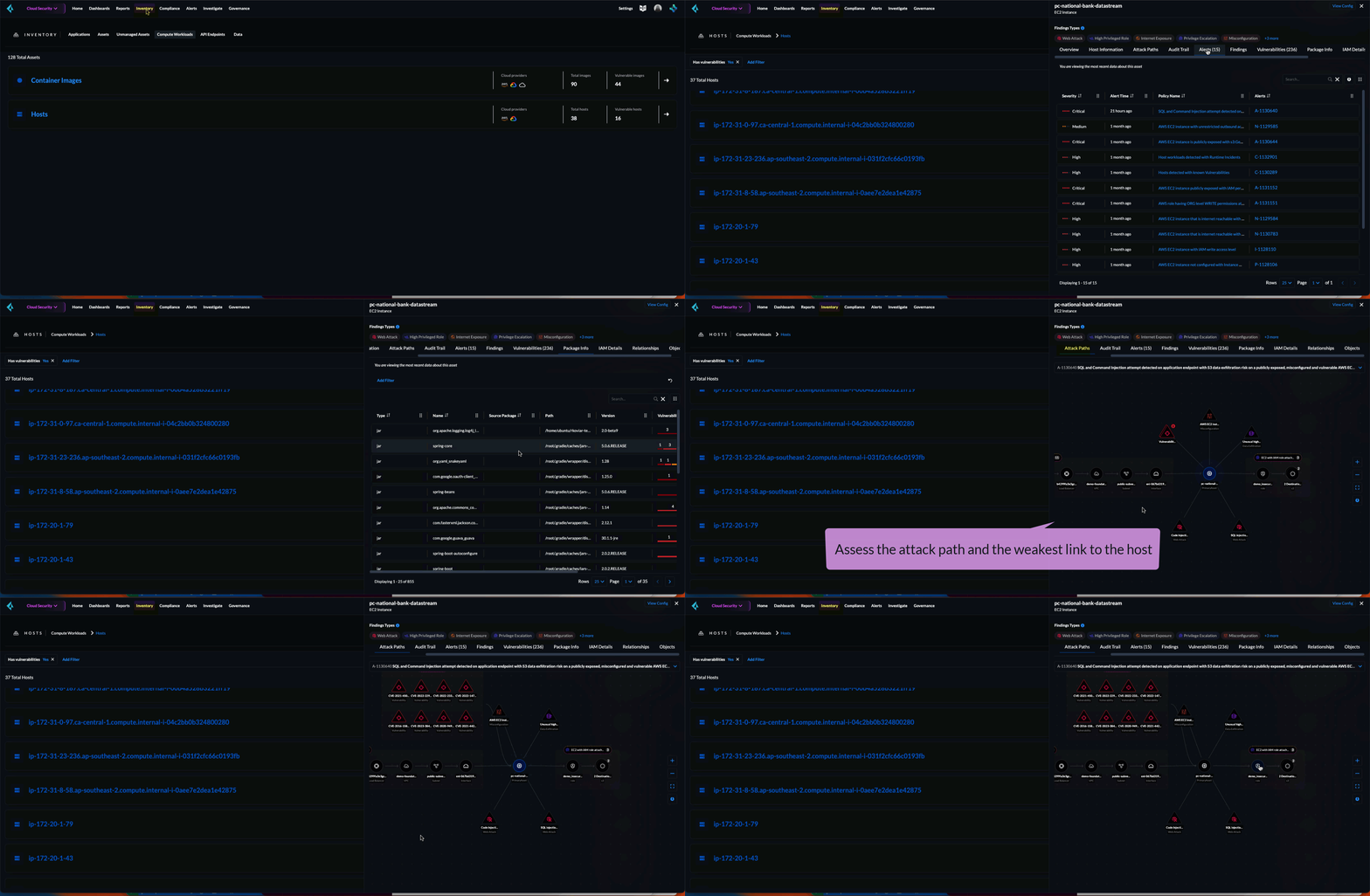
Select a host to view more information such as the attack paths, audit trail, alerts profile, the policies violated, threat detection findings on the host, risk factors and impactful vulnerabilities, package information, over-permissive IAM details on the host, and the host’s relationship with other assets.
In the attack paths, you can select a CVE to fix the vulnerability in Code (**Fix in Code**) and submit a PR or **View Details** to mitigate the risk and eliminate the weak link leading to the host.
## What’s Next
* [Extend protection for containers](/content-collections/runtime-security/runtime-defense/runtime-defense-containers.md) running on the clusters.
* [Enforce compliance checks](/content-collections/runtime-security/compliance/operations/manage-compliance.md)
* Enable [Runtime Audits](/content-collections/runtime-security/runtime-defense/runtime-audits.md).
* Create [Create an Alert Rule for Cloud Workloads](/content-collections/alerts/create-an-alert-rule-cloud-workloads.md). On the alerts profile, you can see the alert policies violated by the vulnerable container images and hosts, and download the alert profile data for container images in a tabular format.
* Select an alert to further investigate Cloud workload alert policies violated under [Prisma Cloud Policies](https://github.com/PaloAltoNetworks/pc-docs-md/tree/main/enterprise-edition/content-collections/governance/governance.md).
---
# Agent Instructions
This documentation is published with GitBook. GitBook is the documentation platform designed so that both humans and AI agents can read, navigate, and reason over technical content effectively. Learn more at gitbook.com.
## Querying This Documentation
If you need additional information that is not directly available in this page, you can query the documentation by asking a question.
Perform an HTTP GET request on the following URL with the `ask` and `goal` query parameters:
```
GET https://docs.prismacloud.io/content-collections/cloud-and-software-inventory/compute-workloads-inventory.md?ask=&goal=
```
`ask` is the immediate question: it should be specific, self-contained, and written in natural language.
`goal` is what the user is ultimately trying to achieve, the reason they need the answer. Sharing it helps GitBook give you a better, more relevant answer. A goal is most helpful when it describes the outcome the user wants rather than restating the question. For example, with `ask=how do I create an API token`, a goal like `automate deployments from our CI pipeline` lets GitBook tailor the answer to that use case.
The response will contain a direct answer to the question and relevant excerpts and sources from the documentation.
Use this mechanism when the answer is not explicitly present in the current page, you need clarification or additional context, or you want to retrieve related documentation sections.