> For the complete documentation index, see [llms.txt](https://docs.prismacloud.io/llms.txt). Markdown versions of documentation pages are available by appending `.md` to page URLs; this page is available as [Markdown](https://docs.prismacloud.io/content-collections/governance/attack-path-policies.md).
# Attack Path Policies
To understand the true security risk of an application or infrastructure requires a complete assessment and correlation of a broad set of security signals. For example, if a virtual machine or an application is vulnerable to CVE-1234 that is network exploitable, is internet exposed, and has overly permissive IAM access to sensitive data, then this combination presents a relatively critical or high risk compared to an instance that contains the same vulnerability but is not internet exposed.
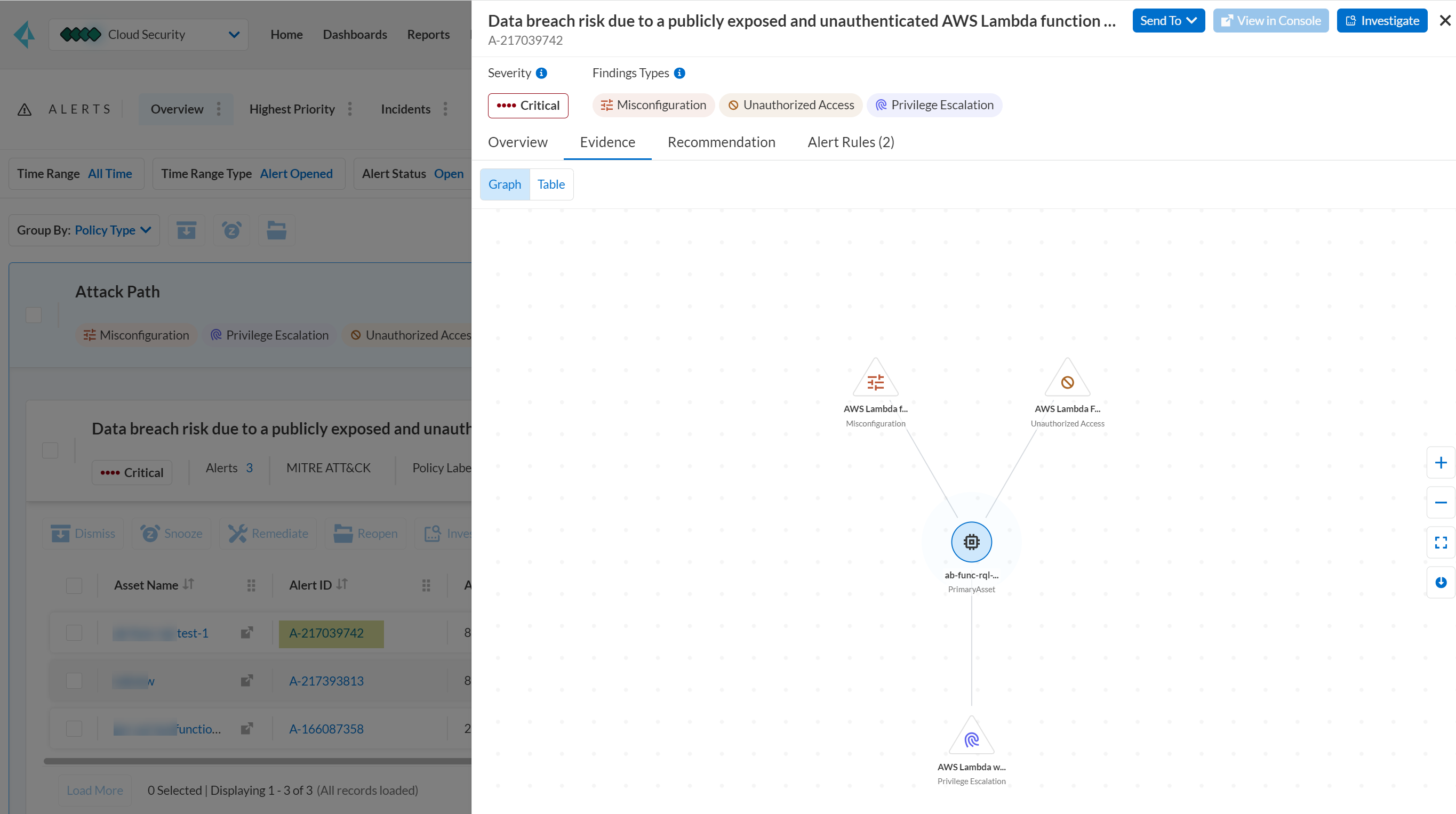
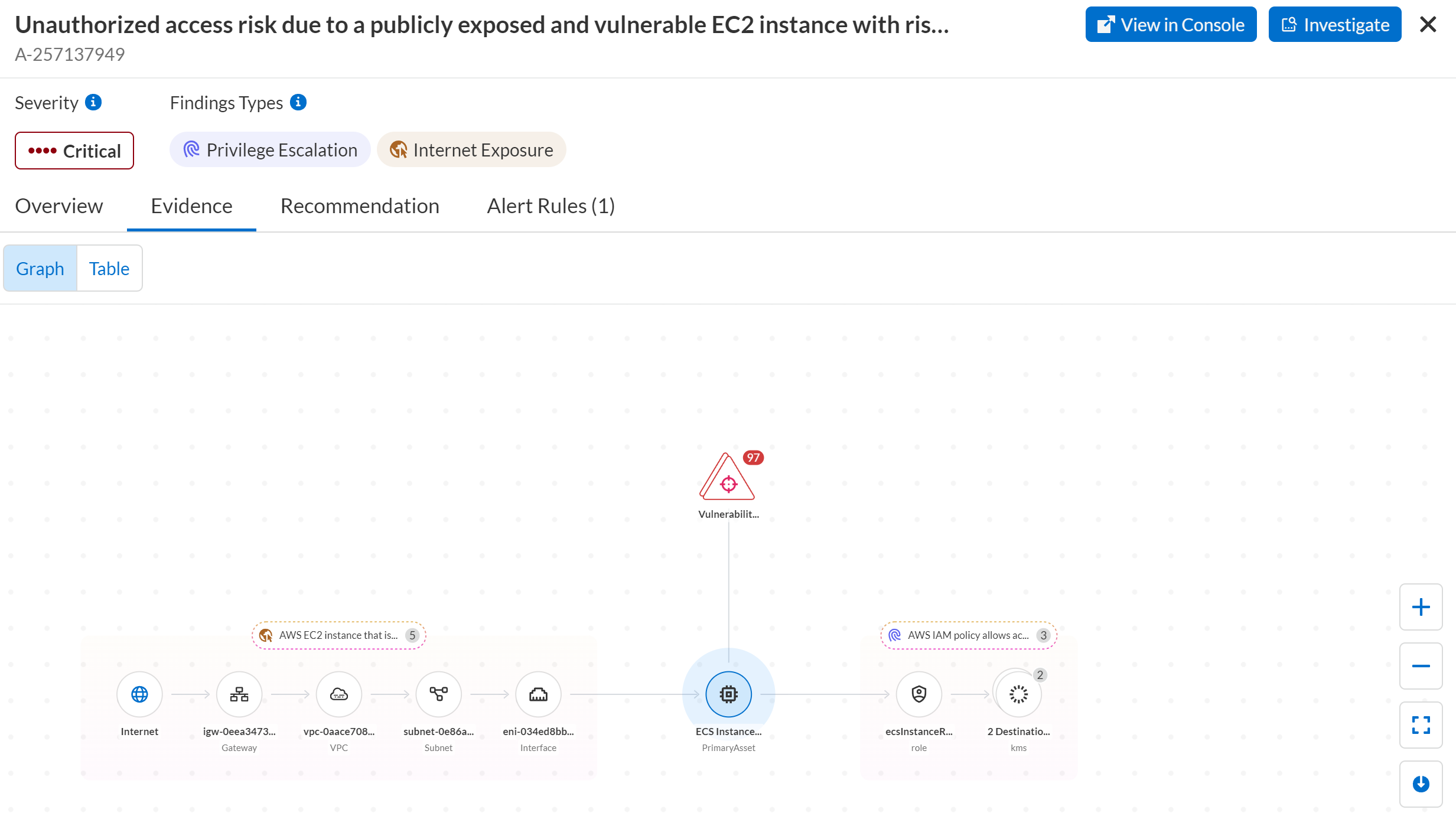
The **Attack Path** policies are out-of-the-box policies that are enabled by default. These policies identify the confluence of issues that increase the likelihood of a security breach and are based on relationships such as, overly permissive identities, permissions, network exposure, infrastructure misconfiguration, and vulnerabilities that would enable an attacker to target your application. Prisma Cloud helps you identify attack paths and presents them in a graph view, offering valuable security context to protect against high-risk threats, which often requires you to take immediate action.
Some of the Attack Path policies require you to subscribe to [IAM Security](/content-collections/administration/configure-iam-security/enable-iam-security.md) (CIEM).
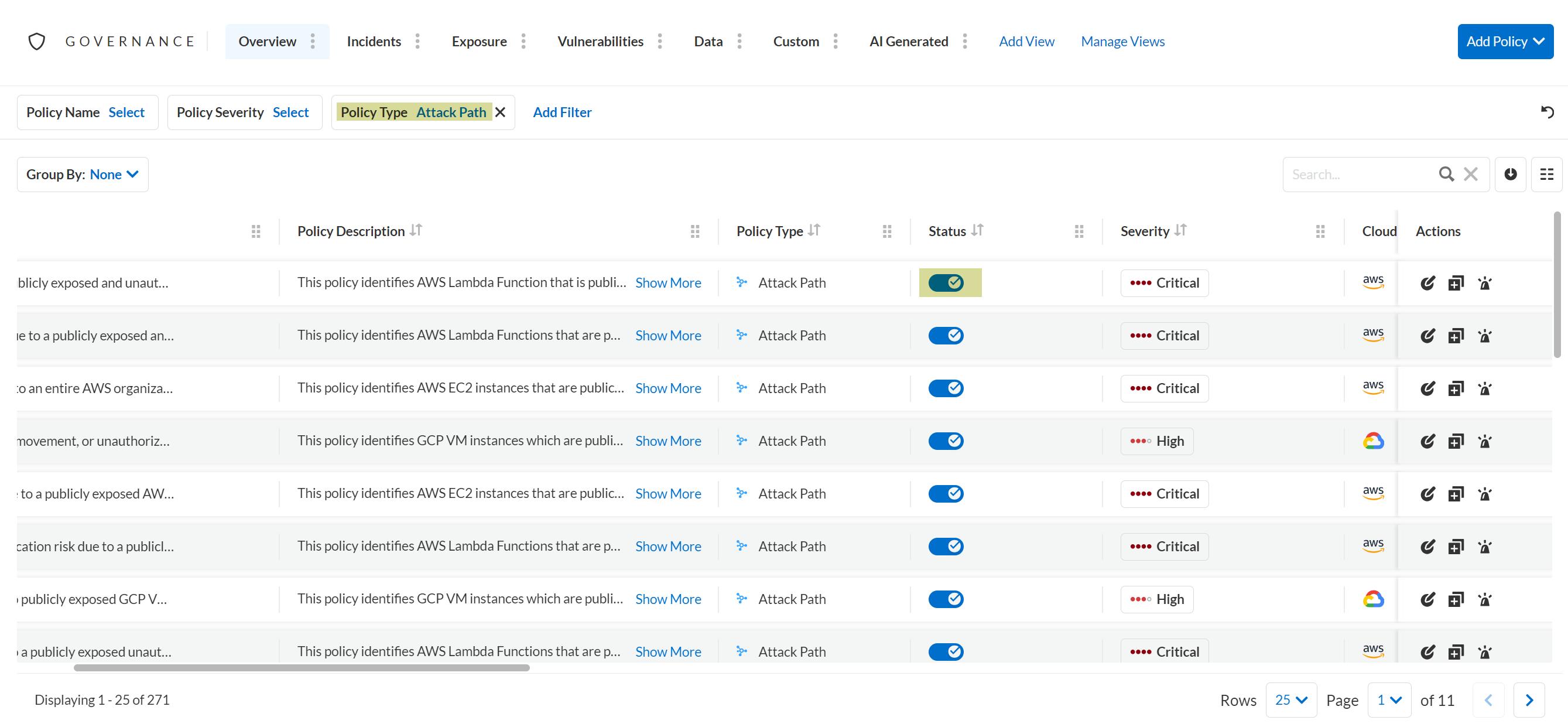
Before you create an [Alert Rule](/content-collections/alerts/create-an-alert-rule-cloud-infrastructure.md) for Attack Path policies, select **Settings > Enterprise Settings > Auto-Enable Default Policies** and verify that you have selected **Critical** and **High** severity. You can then select **Governance** and filter by Policy Type **Attack Path** to confirm that Attack Path policies are enabled. If a System Administrator has disabled these policies, toggle the **Status** to enable each policy.
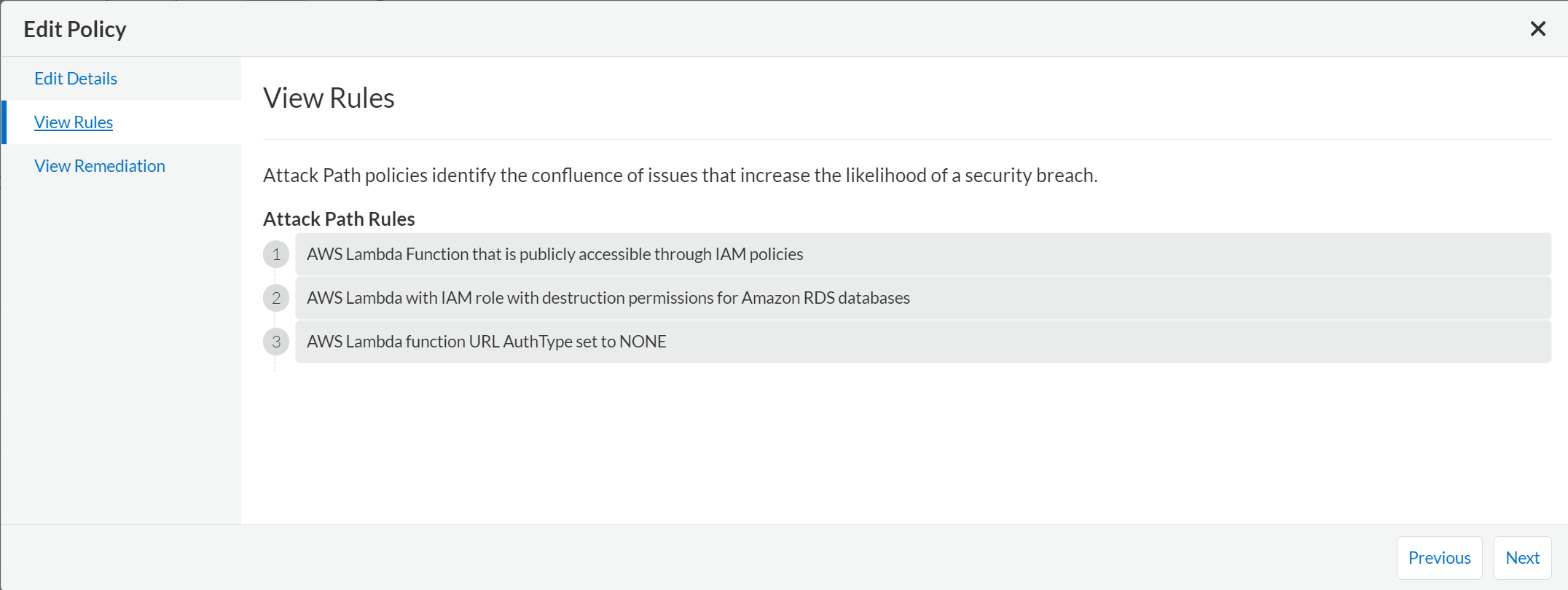
There is a set of **Attack Path Rules** for each **Attack Path** policy. Prisma Cloud evaluates those rules and when it finds a match on all of the rules, it generates an alert. On **Governance**, filter by **Policy Label > Attack Path Rule**. If the **Status** of the policies is disabled, toggle the button to enable each policy. Prisma Cloud uses these Attack Path Rules to find the exposed Attack Paths in your cloud environments.
The policies with Attack Path Rule labels do not require alert-rule match. However, make sure they are enabled.
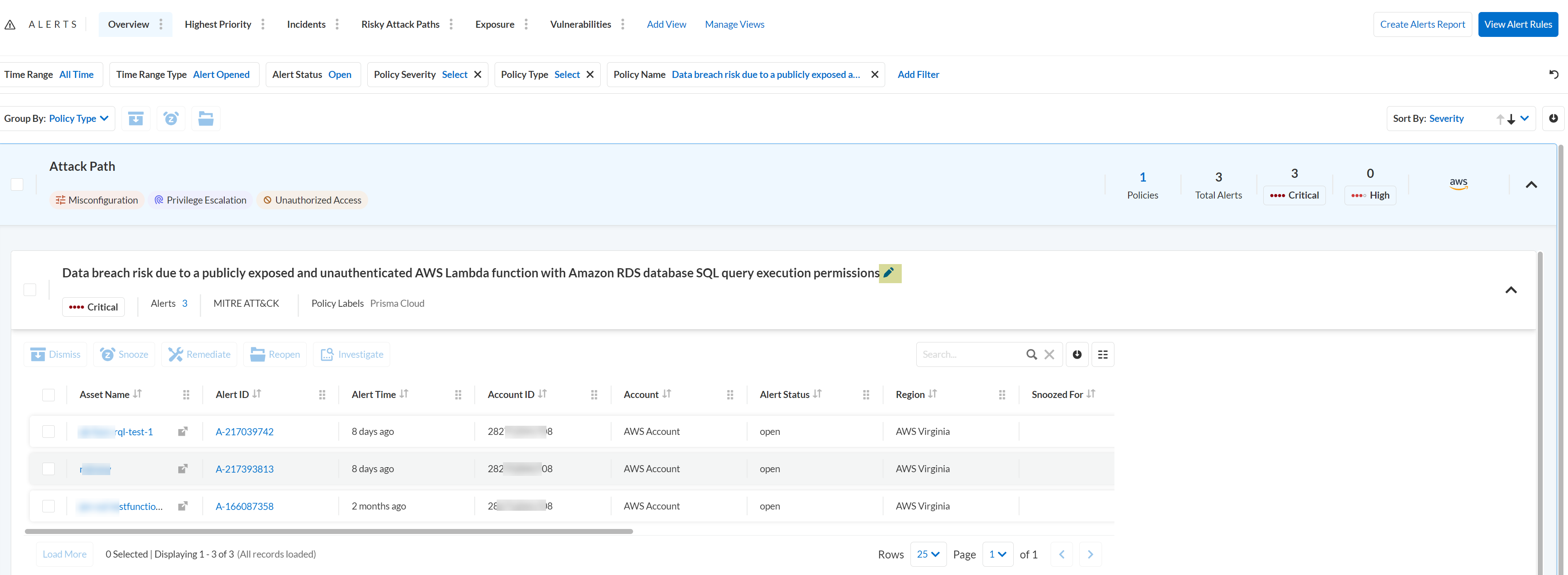
When a policy violation occurs, you can view the evidence details in Graph (default) view. Select **Alerts > Overview**, filter alerts by Policy Type **Attack Path**, click **Alert Count**, and then click **Alert ID**.
The [Prisma Cloud Asset Inventory](/content-collections/cloud-and-software-inventory/asset-inventory.md) allows you to deep dive into asset details to explore the security context uncovered by Prisma Cloud.
---
# Agent Instructions
This documentation is published with GitBook. GitBook is the documentation platform designed so that both humans and AI agents can read, navigate, and reason over technical content effectively. Learn more at gitbook.com.
## Querying This Documentation
If you need additional information that is not directly available in this page, you can query the documentation by asking a question.
Perform an HTTP GET request on the following URL with the `ask` and `goal` query parameters:
```
GET https://docs.prismacloud.io/content-collections/governance/attack-path-policies.md?ask=&goal=
```
`ask` is the immediate question: it should be specific, self-contained, and written in natural language.
`goal` is what the user is ultimately trying to achieve, the reason they need the answer. Sharing it helps GitBook give you a better, more relevant answer. A goal is most helpful when it describes the outcome the user wants rather than restating the question. For example, with `ask=how do I create an API token`, a goal like `automate deployments from our CI pipeline` lets GitBook tailor the answer to that use case.
The response will contain a direct answer to the question and relevant excerpts and sources from the documentation.
Use this mechanism when the answer is not explicitly present in the current page, you need clarification or additional context, or you want to retrieve related documentation sections.