> For the complete documentation index, see [llms.txt](https://docs.prismacloud.io/llms.txt). Markdown versions of documentation pages are available by appending `.md` to page URLs; this page is available as [Markdown](https://docs.prismacloud.io/content-collections/governance/custom-build-policies.md).
# Custom Build Policies
Prisma Cloud includes out-of-the-box policies that enable you to detect misconfigurations and provide automated fixes for security issues seen across your integrated code repositories and pipelines. On **Governance** you can review the list of configuration policies including custom policies using the subtype filter of **Build**.
You can create custom build policies for the following frameworks:
* **Terraform** - Policies written using Terraform attributes will apply for Terraform (.tf and plan files)
* **Bicep**: Policies defined using Bicep resources and attributes will apply for tailored Azure Bicep resource governance
* **ARM**: Policies defined using ARM resources and attributes will apply for Azure ARM resource governance
ARM and Bicep use the same policy syntax and can apply to both frameworks with a single attribute clause
* **CloudFormation** - Policies written using CloudFormation attributes will apply for CloudFormation, AWS Serverless Application Model (SAM), and Cloud Development Kit (CDK)
* **Kubernetes** - Policies written using Kubernetes attributes will apply for Kubernetes, Helm, and Kustomize
An **AI & Machine Learning** category enables granular control over build configurations for machine learning and artificial intelligence workloads. This category can be leveraged in relevant dashboards through the IaC Category filter, facilitating streamlined policy management for AI resources.
In addition, Prisma Cloud also supports identification of custom secrets that you can define using regular expression patterns. While defining the regular expression patterns consider the following parameters:
* Ensure that the regular expression pattern complies with Python’s regular expression syntax standards.
* Criteria to consider when defining `RegEx` pattern.
* The resulting match must be between 5 and 100 characters long and cannot consist solely of numbers and symbols without any letters.
* Ensure there are no `backreferences`, `backtracking`, and no unbounded wildcards like `/.*/ or /.+/`.
* You can define up to 5 `RegEx` patterns per policy.
## Add a New Custom Policy for Build-Time Checks
If you have custom requirements or want to define guardrails for your specific security or compliance needs, you have the flexibility to add new custom policies for your already existing repositories. As soon as you add [Code & Build Providers](https://github.com/PaloAltoNetworks/pc-docs-md/tree/main/enterprise-edition/content-collections/application-security/get-started/connect-code-and-build-providers/connect-code-and-build-providers.md) both the out-of-the-box policies and custom policies are used to scan for potential issues.
1. Create a custom configuration policy for build-time checks.
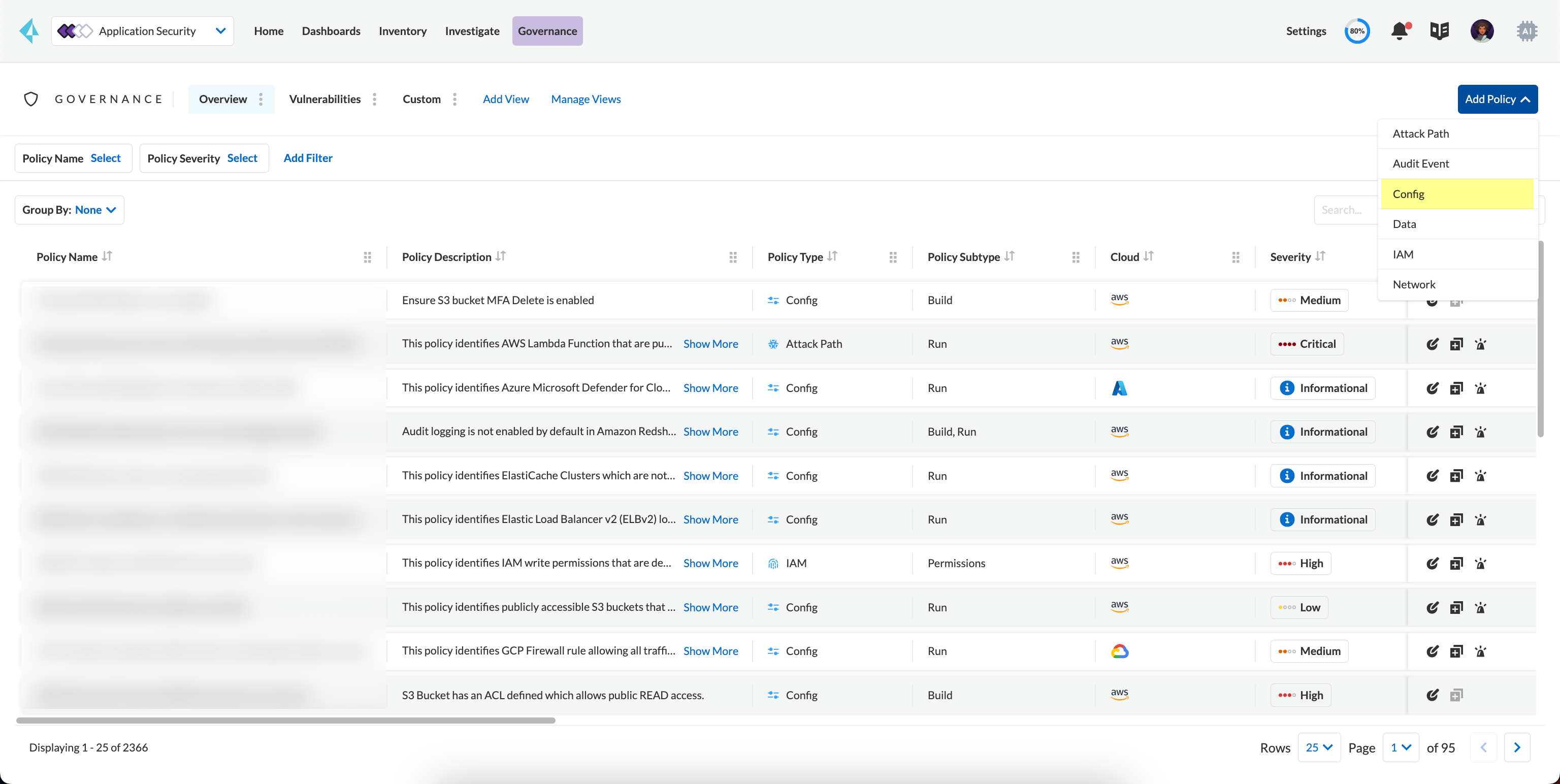
1. Select **Governance > Add Policy > Config**.
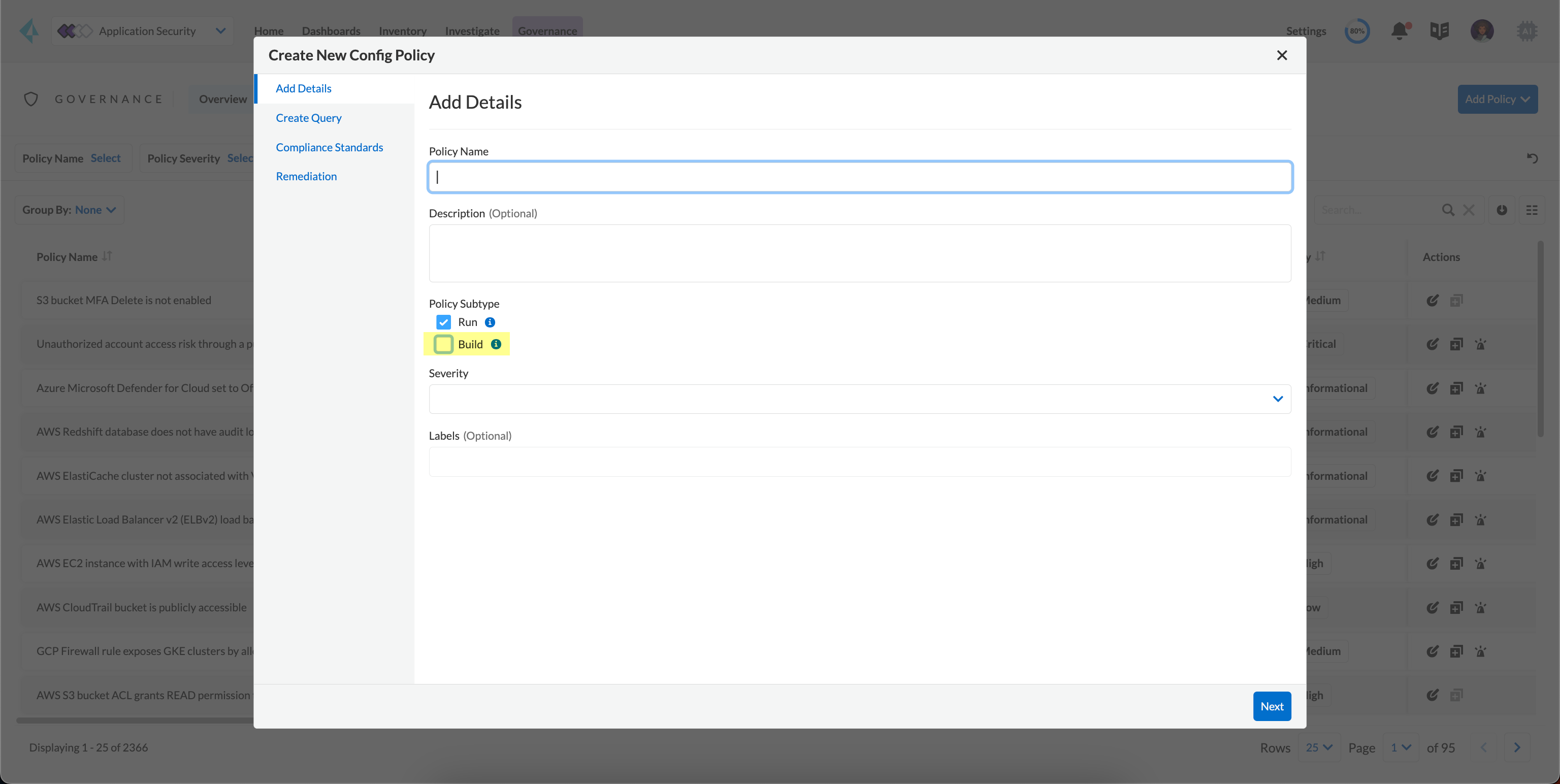
2. Add **Policy Name**.
Optionally, you can add a **Description**. The description can include an overview of the error, prevention information and fix information in case of a policy error.
3. Select **Build**.
You can choose to only select **Build** or continue with the both **Run** and **Build** subtypes. However, the following steps are only for Build subtype.
To create a customize Run policies see [Create a Custom Policy on Prisma Cloud](/content-collections/governance/create-a-policy.md)
4. Select **Severity** for the policy.
Prisma Cloud supports five levels of policy severity- **Critical, High, Medium, Low and Informational**.
A policy severity helps define the impact of policy configuration on your environment, while helping you filter the misconfigurations after a scan on **Application Security > Projects**.
Optionally, you can add **Labels** to the policy.
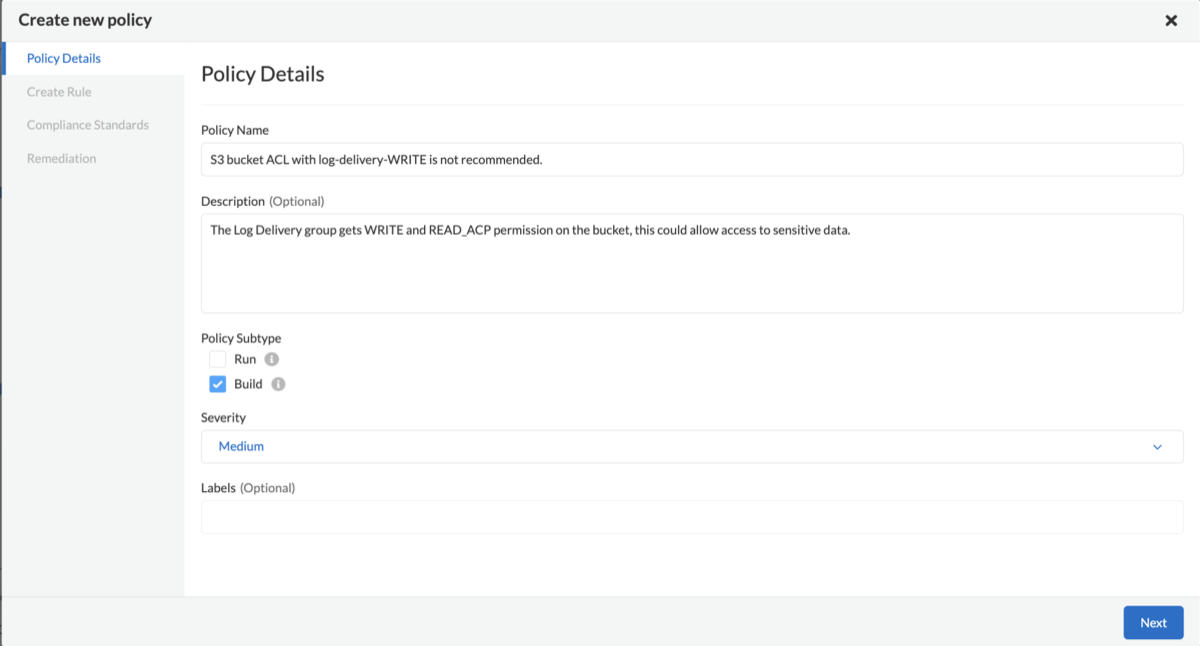
In this example, you see a custom build policy for S3 Bucket ACL where log delivery is not recommended with the relevant policy details.
5. Select **Next**.
2. Create a rule for custom configuration policy.
In a custom configuration policy rule, you can define criteria to check the configuration for both run-time and build-time, that is for Run and Build policy subtypes; in the following steps you will create a policy rule for only build rule. To create a custom build policy rule you can choose between Code Editor and Visual Editor.
* [Code Editor](/content-collections/governance/custom-build-policies/code-editor.md)
Code Editor is the default view for Build policy rule and as an example YAML policy template is always available with guidelines on the console. You can choose this editor to create a custom policy rule using YAML policy templates.
* [Visual Editor](/content-collections/governance/custom-build-policies/visual-editor.md)
You can choose this editor to create a quick custom policy rule that supports creation of attribute checks without a Connection State and a support of AND/OR logic. You will use the existing fields on the console that are mostly auto-populated based on your selection.
3. Add Compliance Standards for the Build policy.
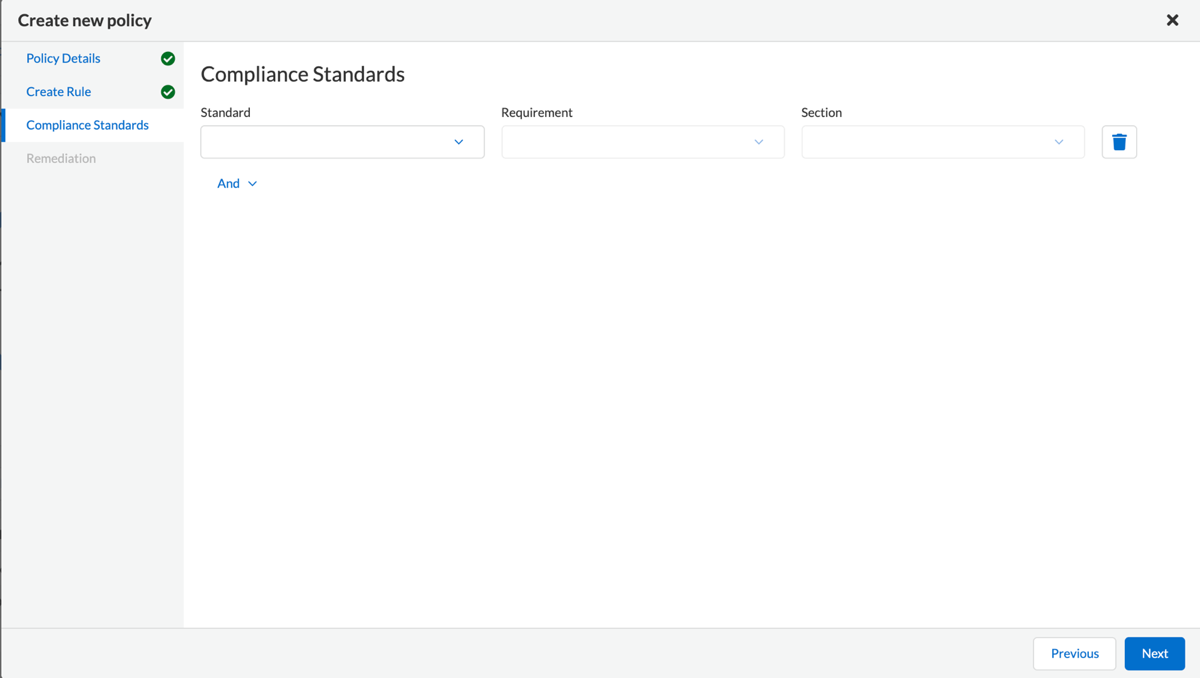
1. Select **Standard, Requirement** and **Sections**.
* **Standard** is the default compliance standard that is listed on the Prisma Cloud console.
* **Requirement** is influenced by the selection of the compliance standard.
* **Section** of may or may not be influenced by the compliance standard.
2. Select **Next**.
4. Remediation for Build policy.
Currently remediation recommendation for custom build policies is not available.
5. Submit your custom policy.
After you save the custom build policy, on the next scan, the onboarded resources are scanned against the new policy. The scan results display on the **Application Security > Projects** where you can identify the resources that failed the check and triggered a policy violation.
For custom secrets, policies are automatically disabled if there are more than 150 findings per repository. You can edit the policy on **Application Security > Projects**.
---
# Agent Instructions
This documentation is published with GitBook. GitBook is the documentation platform designed so that both humans and AI agents can read, navigate, and reason over technical content effectively. Learn more at gitbook.com.
## Querying This Documentation
If you need additional information that is not directly available in this page, you can query the documentation by asking a question.
Perform an HTTP GET request on the following URL with the `ask` and `goal` query parameters:
```
GET https://docs.prismacloud.io/content-collections/governance/custom-build-policies.md?ask=&goal=
```
`ask` is the immediate question: it should be specific, self-contained, and written in natural language.
`goal` is what the user is ultimately trying to achieve, the reason they need the answer. Sharing it helps GitBook give you a better, more relevant answer. A goal is most helpful when it describes the outcome the user wants rather than restating the question. For example, with `ask=how do I create an API token`, a goal like `automate deployments from our CI pipeline` lets GitBook tailor the answer to that use case.
The response will contain a direct answer to the question and relevant excerpts and sources from the documentation.
Use this mechanism when the answer is not explicitly present in the current page, you need clarification or additional context, or you want to retrieve related documentation sections.