> For the complete documentation index, see [llms.txt](https://docs.prismacloud.io/llms.txt). Markdown versions of documentation pages are available by appending `.md` to page URLs; this page is available as [Markdown](https://docs.prismacloud.io/content-collections/prisma-cloud-copilot/prisma-cloud-copilot-benefits.md).
# Key Benefits of Prisma Cloud Copilot
Optimize your Prisma Cloud journey by clicking the **Prisma Copilot** icon located in the top right corner of the Prisma Cloud UI next to your User Profile icon.
Use Prisma Cloud Copilot to:
* [Find Risks and Vulnerabilities](#find-risks)
* [Explore your Cloud Assets](#explore-cloud-assets)
* [Search for Information](#search)
* [Create Support Cases](#create-support-cases)
## Find Risks and Vulnerabilities
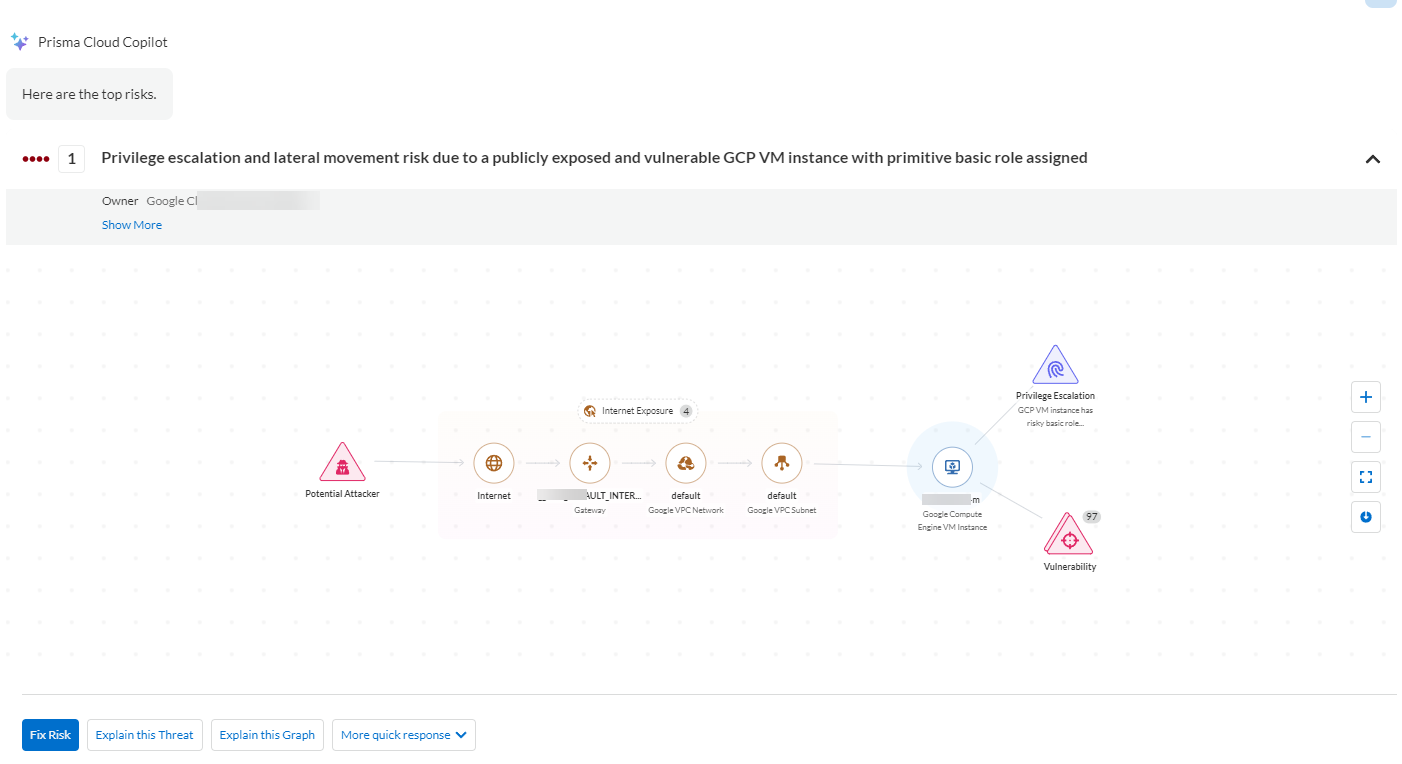
You can dive in to your code and cloud environments with the Prisma Cloud Copilot, which is designed to uncover and illuminate your most pressing risks. The Copilot goes beyond mere detection and guides you through a comprehensive journey, from pinpointing vulnerabilities to prioritizing and executing effective remediation strategies. It provides you with an opportunity to transform your security posture, making your digital landscape not only more transparent but also more resilient against potential threats.
| **Use Cases** | **Description** | **Sample Prompts** |
| --------------------------------------- | ------------------------------------------------------------------------------------------------------------------------------------------------------------------------------------------------------------------------------------------------------------------------------------------------------------------ | -------------------------------- |
| Attack Path Insights and Management |
Helps you to prioritize and remediate the riskiest attack paths.
Shows the top attack path and explains the associated risk.
Provides remediation options including fix in code and cloud (runtime).
| What are my top security risks? |
| Vulnerabilities Insights and Management |
Helps you to prioritize and remediate the riskiest vulnerabilities.
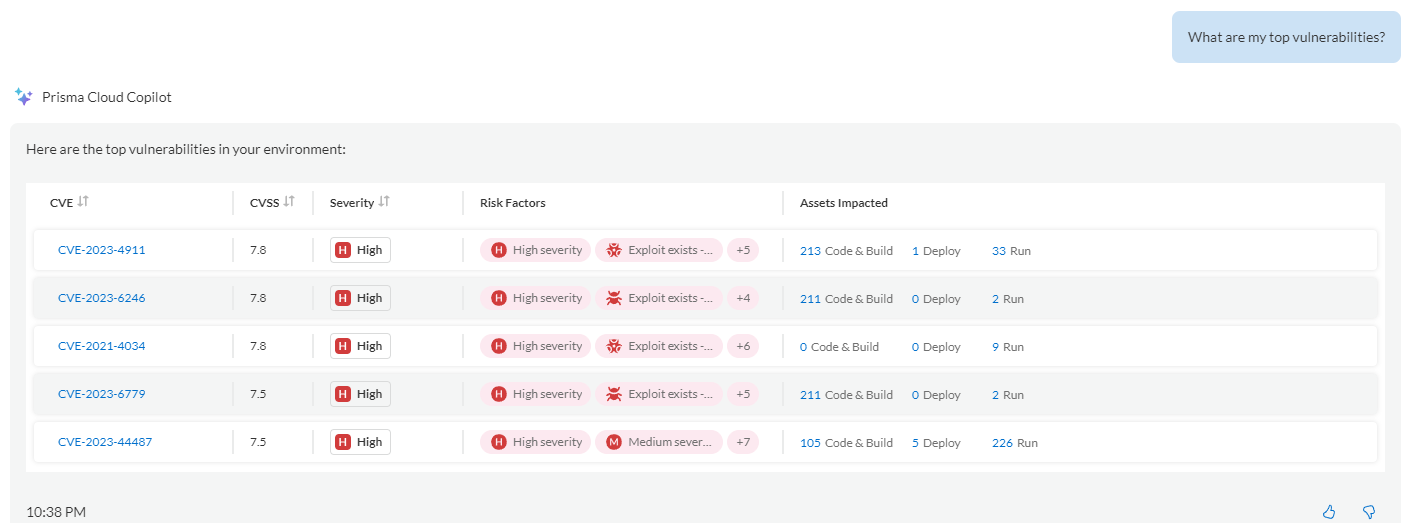
Shows the top vulnerabilities and explains the associated risk.
Helps with focusing, exploring, and fixing a specific CVE.
Provides remediation options including fix in code or open a Jira ticket.
| What are my top vulnerabilities? |
## Explore your Cloud Assets
You to delve deep in to your cloud assets using the Prisma Cloud Copilot, which offers insights in to your cloud infrastructure and vulnerabilities with a simple query. Unlock a new level of understanding and oversight of your environments, thereby enhancing your ability to manage and secure your cloud assets efficiently and effectively.
| **Use Cases** | **Description** | **Sample Prompts** |
| ---------------------- | -------------------------------------------------------------------------------------------------------------------------------------------------------------------------------------------------------------------------------------------------------------------------------------------------------- | ---------------------------------------------------------------------------------------------------------------------------------------------------------------------------------------------------------------------------------------------------------------------------------------------------------------------------------------------------------------------------------------------------------------------------------------------- |
| Search and Investigate |
Helps you to investigate.
You can use natural language to access your data in Prisma Cloud.
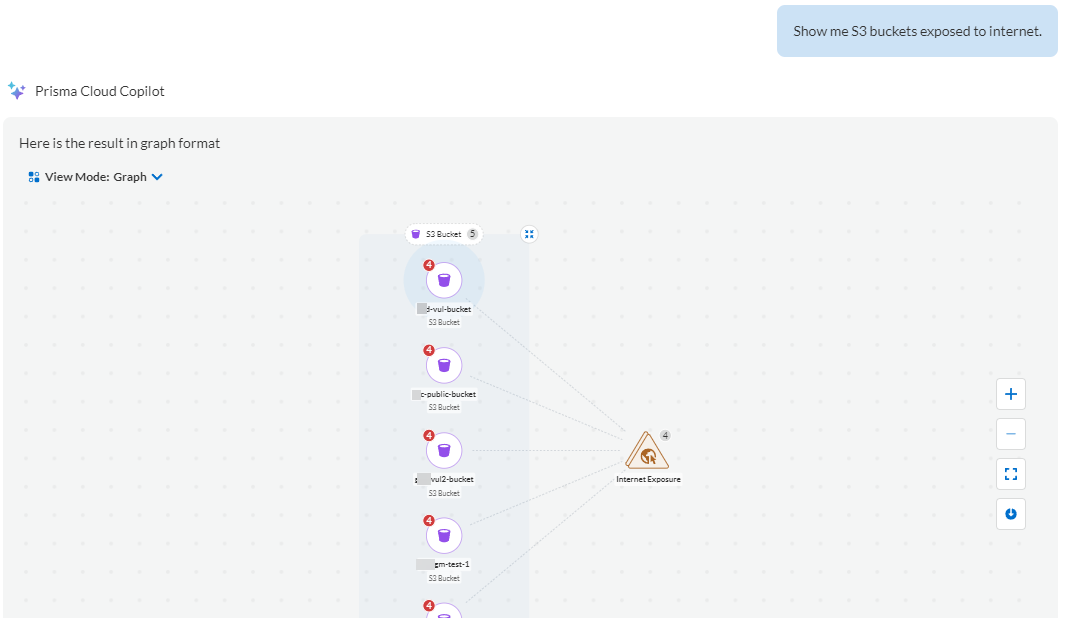
You can search for your cloud assets and the associated findings (alerts or vulnerabilities).
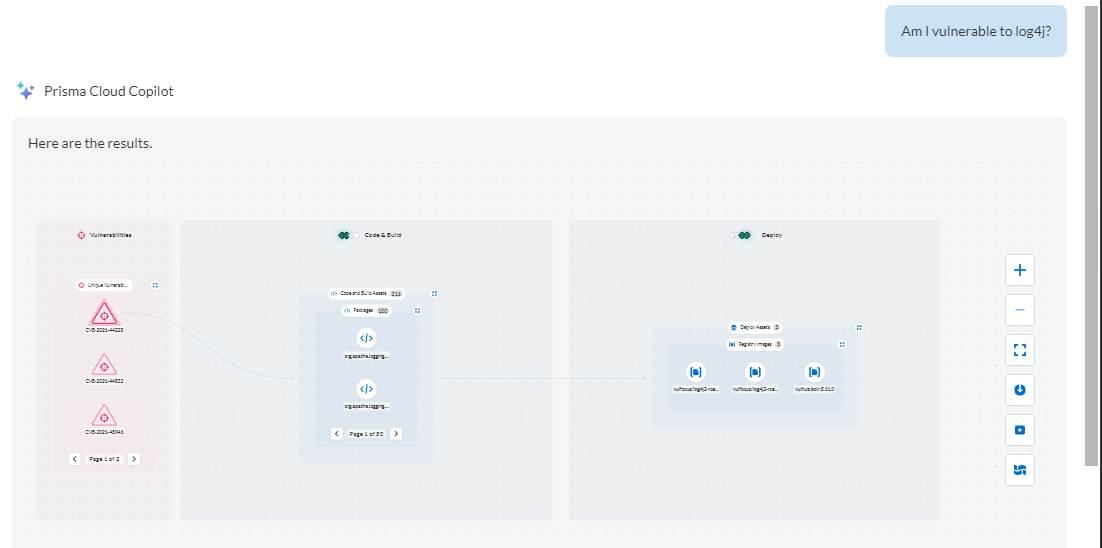
You can search for vulnerabilities found in your cloud environments.
|
Examples to explore vulnerabilities:
Am I vulnerable to log4j?
Do I have Critical Severity vulnerabilities?
Am I impacted by CVE-2023-2222?
Examples to explore assets:
Identify AWS EC2 instances with unrestricted access from the internet.
Find S3 buckets with internet exposure and unencrypted storage.
Which databases are reachable from the internet?
|
## Search for Information
Use Prisma Cloud Copilot’s intuitive guidance to navigate the Prisma Cloud platform with ease, whether you are seeking assistance with a specific feature documentation or need direction within the product. The responsive Copilot ensures you are always just a question away from finding the right capability or feature, streamlining your experience and maximizing your productivity within Prisma Cloud.
Here are a few examples:
* How to create a new policy?
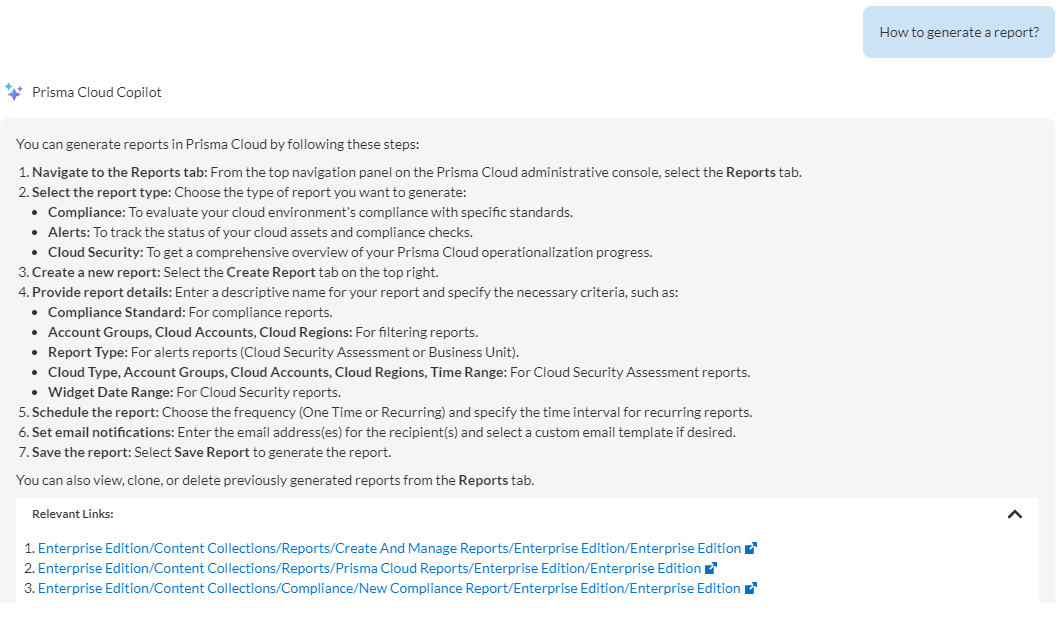
* How to generate a report?
* Update CI/CD rules
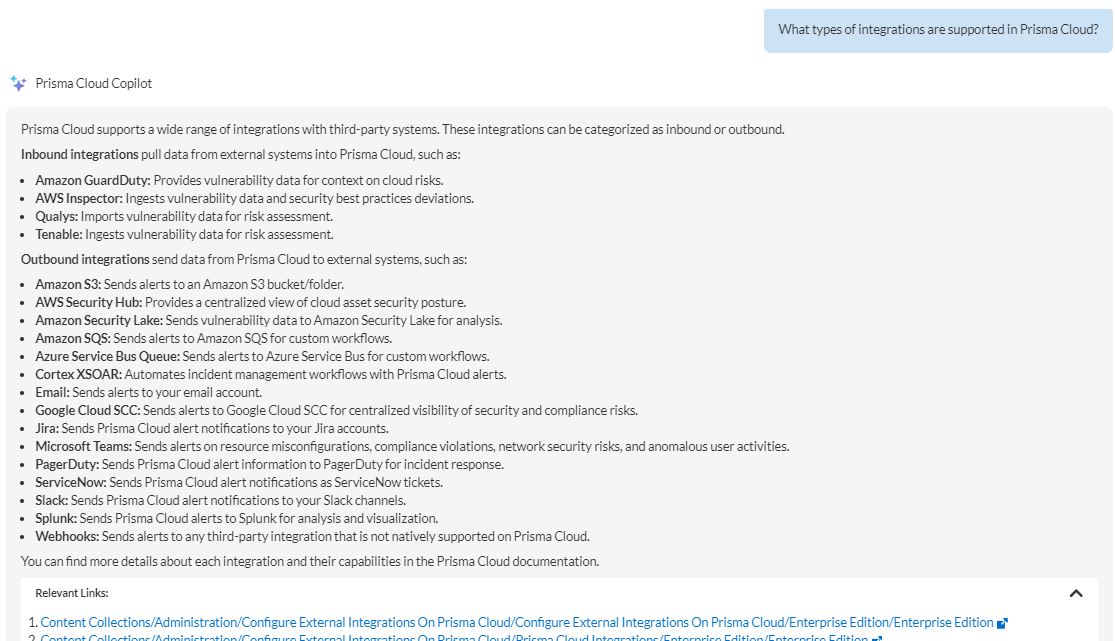
* What types of integrations are supported in Prisma Cloud?
With Prisma Cloud Copilot you can get answers about how Prisma Cloud works, its configuration, and the different features available to secure your cloud environments. The answers will summarize the information, which is spread across the Prisma Cloud documentation.
## Create Support Cases
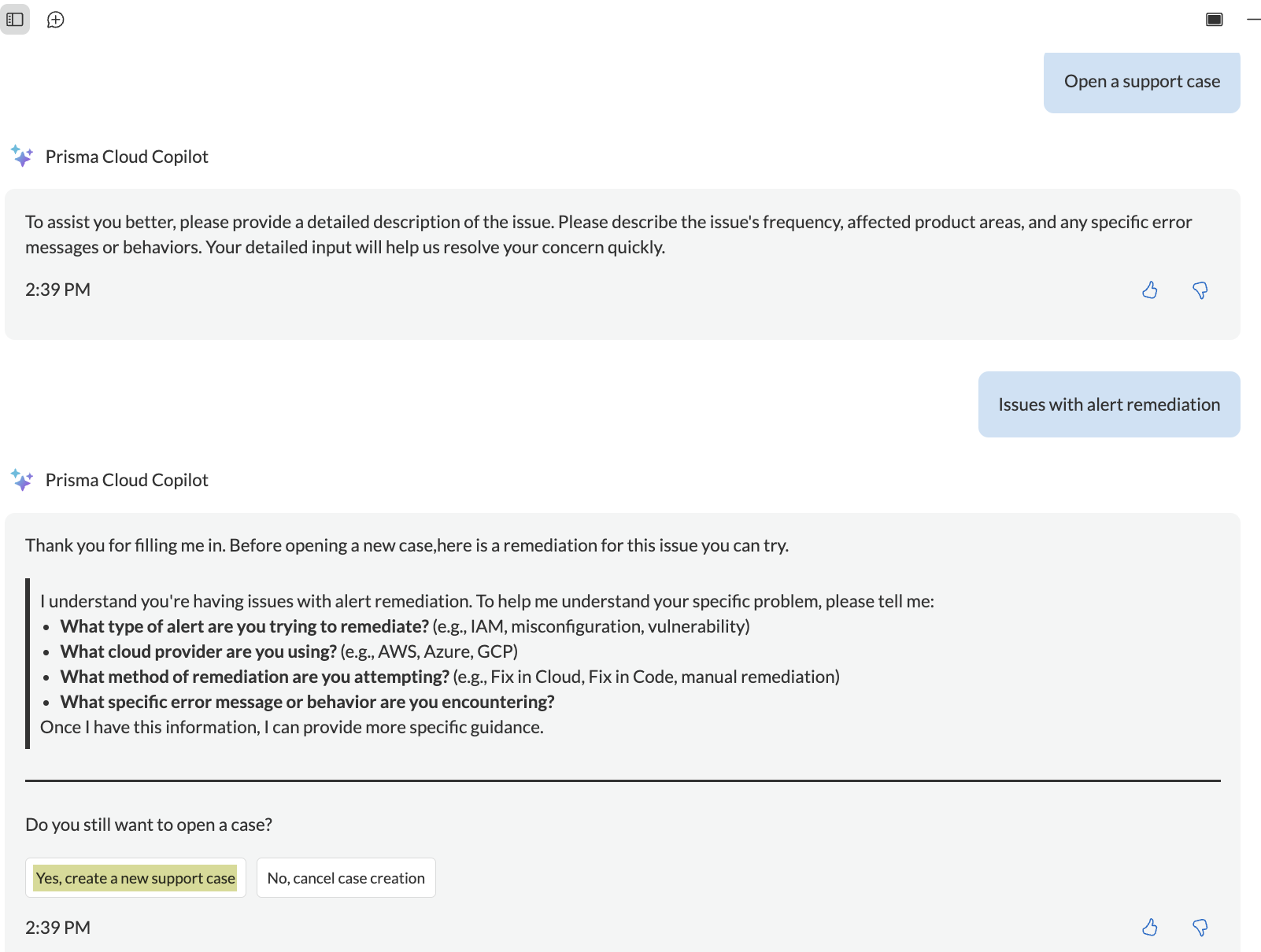
You can leverage Prisma Cloud Copilot to open support cases within Prisma Cloud. You do not need to switch to a different portal for opening support cases. You can create a context-rich support case by adding in all the details, including screenshots, documents, as well as screen-recordings using the Copilot.
Here’s a prompt to open a support ticket:
* Help me open a support case
---
# Agent Instructions
This documentation is published with GitBook. GitBook is the documentation platform designed so that both humans and AI agents can read, navigate, and reason over technical content effectively. Learn more at gitbook.com.
## Querying This Documentation
If you need additional information that is not directly available in this page, you can query the documentation by asking a question.
Perform an HTTP GET request on the following URL with the `ask` and `goal` query parameters:
```
GET https://docs.prismacloud.io/content-collections/prisma-cloud-copilot/prisma-cloud-copilot-benefits.md?ask=&goal=
```
`ask` is the immediate question: it should be specific, self-contained, and written in natural language.
`goal` is what the user is ultimately trying to achieve, the reason they need the answer. Sharing it helps GitBook give you a better, more relevant answer. A goal is most helpful when it describes the outcome the user wants rather than restating the question. For example, with `ask=how do I create an API token`, a goal like `automate deployments from our CI pipeline` lets GitBook tailor the answer to that use case.
The response will contain a direct answer to the question and relevant excerpts and sources from the documentation.
Use this mechanism when the answer is not explicitly present in the current page, you need clarification or additional context, or you want to retrieve related documentation sections.