This article describes the following:
- How to integrate DSMP with WildFire - Palo Alto Network’s internal malware tool
- Verify the integration is activated
About WildFire
WildFire is the industry’s largest cloud-based malware protection engine that uses machine learning and crowdsourced intelligence to instantly prevent up to 95% of unknown malware variants inline without compromising business productivity, keeping your organization protected.
Wildfire is an internal PAN malware tool.
Integration Overview
The integration relies on the file's hash being verified by WildFire. This process aligns seamlessly with all other DSPM capabilities, ensuring that data never exits the customer's environment.
The integration with the WildFire static malware analysis tool is designed for seamless, out-of-the-box (OOTB) functionality. The integration is performed via an API.
- No Connectivity Setup: Users do not need to establish any connectivity for the integration to work.
- No Special Settings: There are no special integration settings required, simplifying the process.
- No Additional Cost: The WildFire tool is available at no additional cost.
- Availability: Wildfire is available to all Prisma Cloud users and cloud providers.
This streamlined integration ensures that users can quickly and easily utilize WildFire's powerful malware analysis capabilities without any additional configuration or expense.
Integration Workflow
- Initial Setup
- The WildFire static malware analysis tool is available out-of-the-box (OOTB) with no need for special integration settings or connectivity setup.
- File Listing and Hashing
- WildFire reviews the listing of all files within a bucket. For example, if an Amazon bucket contains 1 million files, WildFire processes the listing of these files and sends their hashes for a malware check.
- Malware Checking
- The integration is limited to 2 million files per bucket.
- All files on the listing are included in the scan.
- The following file types are scanned for malware: EXE, MSI, APK, PDF, DOC, DOCX, XLS, XLSX, ISO, DMG, PPT, and PPTX.
- Weekly Scans
- The listing and malware checks occur once per week.
- Results and Risk Management
- The results indicate which files contain malware and which do not.
- If malware is detected, the information is displayed, and a risk is triggered.
This automated, regular scanning process ensures that all files within a bucket are consistently checked for malware, enhancing security and mitigating risks.
Integration Procedure
This section describes how to verify if the integration is running and active.
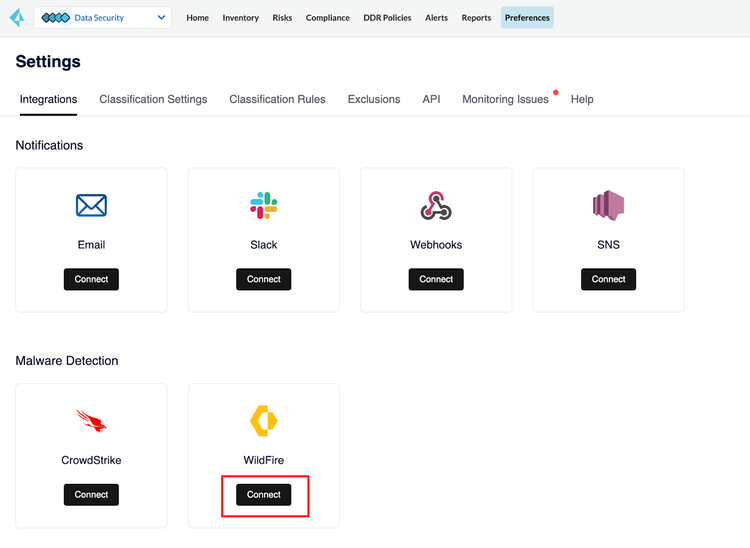
- In the DSPM side menu, click Preferences and navigate to the Integrations tab.
- Scroll down to the Malware Detection section and in the WildFire dashboard card, click Connect. The WildFire integration window opens.
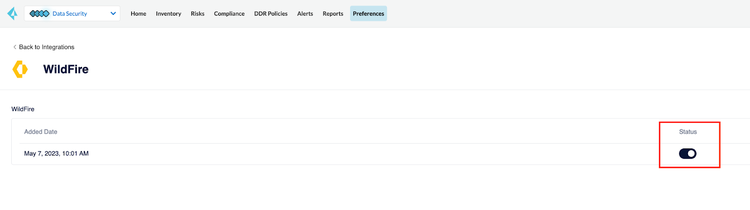
- Make sure the Status of the WildFire integration is set to active.
Viewing Malware Results
Malware information received from Wildfire can be found in the following locations within Prisma Cloud DSPM:
- Inventory - Data Assets tab:
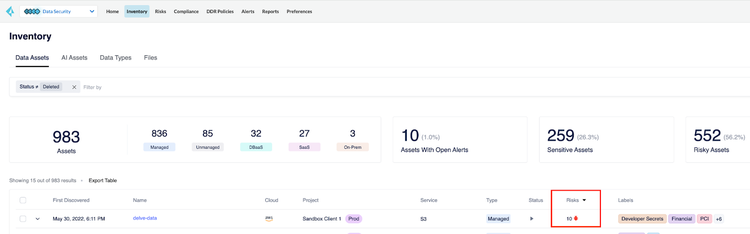
- Go to Inventory > Data Assets.
- Assets with malware are marked with a red bug icon under the Risks column, next to a number indicating the number of malicious files found.
- Risks tab:
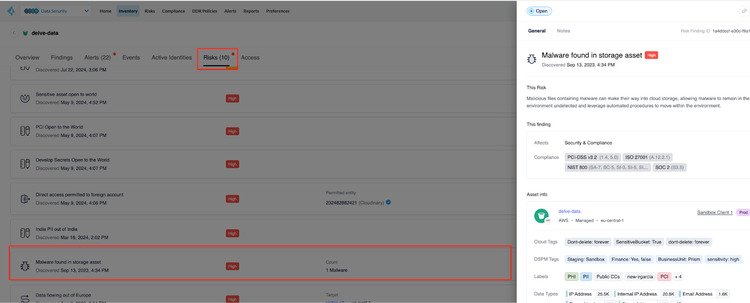
- In the Data Assets tab, click on the name of an asset with malware, and navigate to the Risks tab.
- Click on the Malware row to open the side drawer. The side draw describes the risk, the finding information, and asset information.
- Risks page:
- Click the Risks tab.
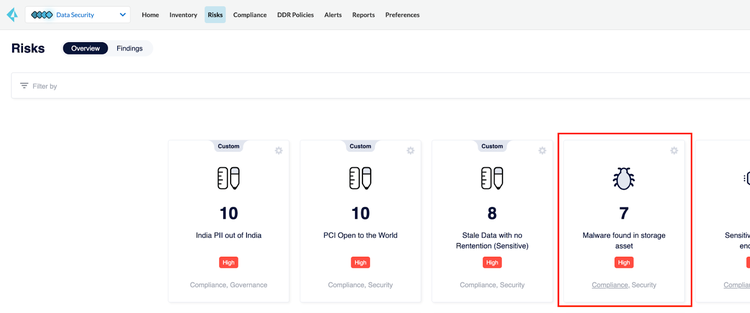
- Scroll down to the dedicated malware risk within the general risk overview.