This article provides step-by-step instructions to integrate Prisma Cloud DSPM with Wiz.
Overview
CNAPP (Cloud-Native Application Protection Platform) serve as a primary security tool employed by cloud security teams for evaluating and managing overall infrastructure security in the cloud. Wiz, a key player in the CNAPP arena, demonstrates proficiency in identifying and mitigating diverse infrastructure risks linked with data assets.
Integrating Prisma Cloud DSPM with Wiz further improves the ability for Wiz users to contextualize this risk based on the specific data stored in each asset.
The integration also allows Wiz users to prioritize risk findings more effectively. By considering factors such as the sensitivity, importance, or regulatory implications of the stored data, users can refine their risk management approach within the Wiz platform.
Prerequisites
Important
To authenticate with Wiz APIs, users must use https://auth.app.wiz.io/oauth/token since Prisma Cloud DSPM supports authentication only through the Cognito Identity Provider.
You need the following connection details to integrate Prisma Cloud DSPM with Wiz:
- Client ID
- Client Secret
- Region
Step 1: Retrieve the Region Details From Wiz
- Login to your Wiz account.
- Click the User Profile icon, located at the top right of the screen, and click the User Settings option.
- Click the Tenant option from the left options menu.
- The system displays an API Endpoint URL similar to this: https://api.us17.wiz.il/graphqla
- Copy and save the region details from the URL. In the URL example above, the region is us17.
Step 2: Retrieve the Client ID and Client Details From Wiz
You must create a service account in Wiz to generate the Client ID and Client Secret. Follow the below steps to retrieve the Client ID and Client Secret:
- Login to Wiz with the Project Admin role.
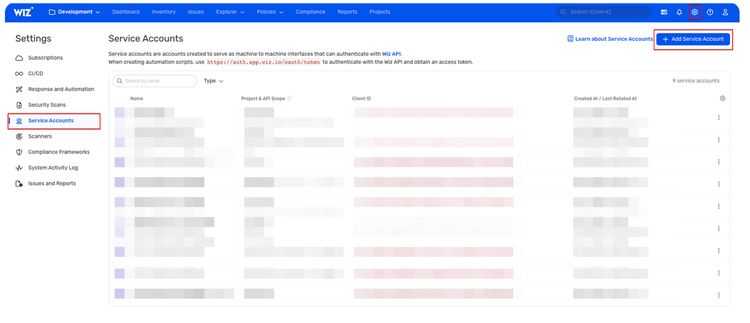
- Click the Settings icon, located at the top-right of the screen.
- On the Settings page, click Service Accounts from the left menu.
- Click Add Service Account.
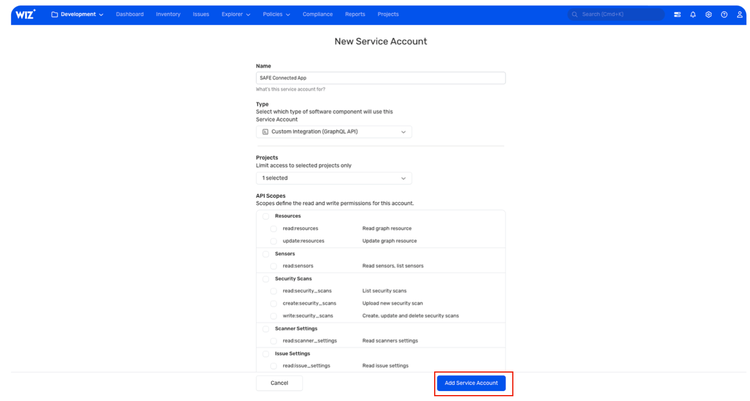
- Enter a Service Account Name.
- In the Type drop-down, choose the Custom Integration (GraphQL API) option.
- In the Projects section, choose a project from the drop-down. Choose the projects with the resources you wish to sync the issues.
- In the API Scopes section, make sure you have the following permissions:
- create:external_data_ingestion
- read:system_activites
- read:resources
- Click Add Service Account.
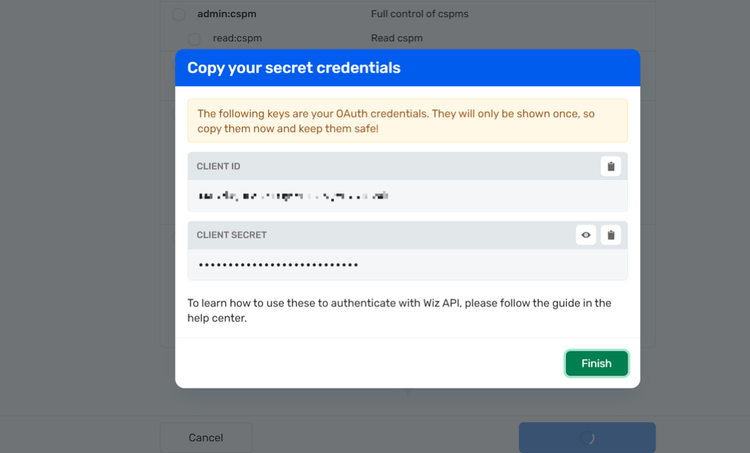
The system displays the Client ID and Client Secret. - Copy and save the Client ID and Client Secret to use when configuring Wiz in Prisma Cloud DSPM.
Step 3: Connect Wiz to Prisma Cloud DSPM
Open Prisma Cloud DSPM, and do the following:
- Go to Settings > Integrations.
- In the Cloud Security section, select Wiz and click Connect.
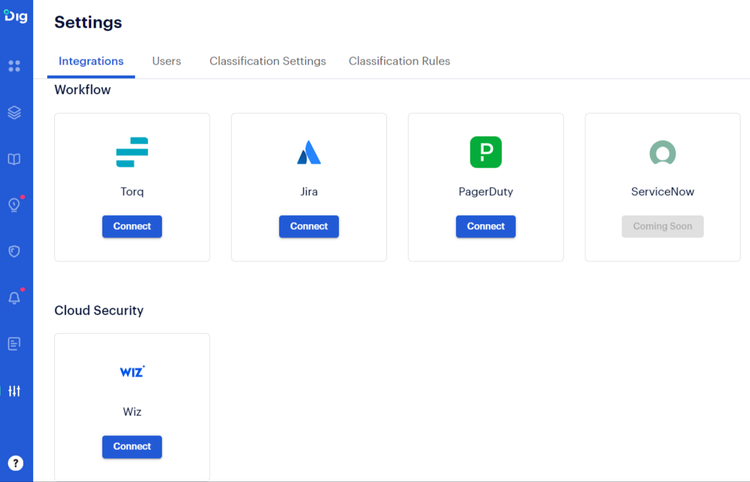
- In the Wiz Integration window, enter the Wiz Client ID and Wiz Client Secret.
- In the Region field, enter the region details according to the API Endpoint URL.
- Click Connect.
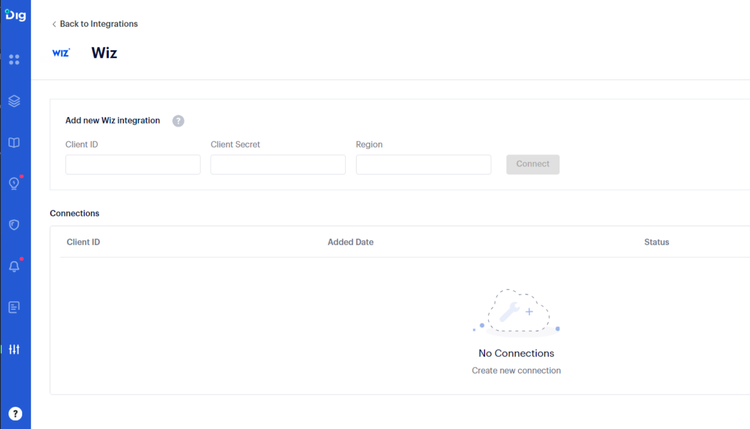
- After clicking Connect, the Connections section displays the status of the connection.
- Upon successful connection, Prisma Cloud DSPM data seamlessly integrates into the Wiz platform within a three-hour timeframe.